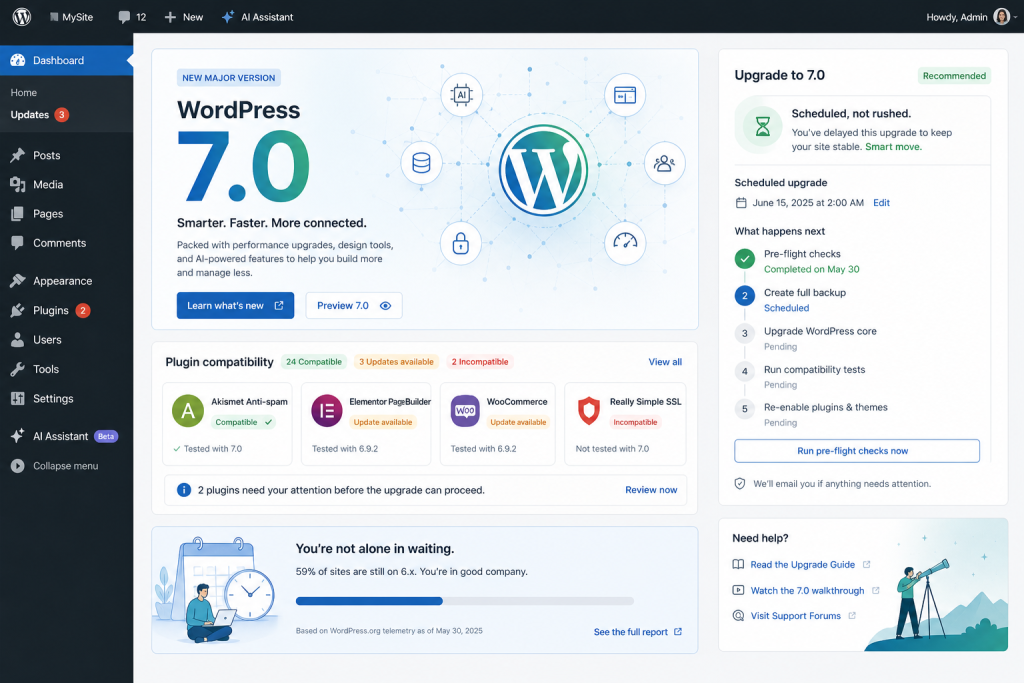
WordPress 7.0 “Armstrong” dropped on May 20, 2026. If you manage production sites, the odds are good that most of them are still running 6.8 or 6.9 this morning, and they will be for a while. That’s normal. This post is a practical guide to what 7.0’s AI infrastructure actually includes, what it changes for the plugins you’re already running, and what happens if you stay on 6.x for another quarter or two.
What WordPress 7.0 actually shipped for AI
Connectors. There’s a new screen under Settings → Connectors where you enter API credentials for AI providers at the WordPress core level. OpenAI, Anthropic, and Google come preconfigured. You enter a key once, and any plugin built against the new AI Client can use that connection without asking for its own key. Before 7.0, every AI plugin managed credentials separately, which meant duplicate keys, inconsistent rate-limit handling, and zero visibility into which plugins were calling which provider.
The WP AI Client. This is a provider-agnostic PHP API that any plugin can call instead of writing its own integration with OpenAI, Anthropic, or Google. The AI Client abstracts the transport layer so plugin authors don’t need to maintain three or four separate provider SDKs. It’s plumbing, not product, but it’s genuinely useful plumbing.
The Abilities API. A registration system where plugins expose typed, discoverable, executable functions. An AI agent can query what a plugin can do, then call those functions through an MCP adapter. Think of it as a structured contract: “this plugin can audit SEO metadata” becomes a capability that any MCP-compatible client can discover and invoke.
Worth noting: real-time collaborative editing, the most-hyped feature on the 7.0 roadmap, was pulled on May 8. Matt Mullenweg cited concerns around race conditions, server load, and recurring bugs found through fuzz testing. It’s unlikely to land before 2027.
The official wordpress.org/plugins/ai/ plugin is a reference implementation that uses the stack for image editing, title and excerpt generation, and alt-text suggestions. It has roughly 2,000 active installs at launch. It’s a demo, not a replacement for production AI tooling.
What this changes for AI plugins
Connectors and the WP AI Client are infrastructure, not features. They make the next generation of AI plugins simpler to build because plugin authors no longer need to ship their own API key management or maintain provider-specific HTTP clients. That’s a real improvement for developers. But infrastructure doesn’t replace what plugins actually do: multi-step admin agents, knowledge bases, content creation workflows, security monitoring, AEO audits, approval flows, WooCommerce management.
The category that 7.0 quietly compresses is “yet another AI text helper.” Single-purpose plugins that generated a title, wrote an excerpt, or suggested alt text existed because there was no core path to an AI provider. Core now offers that path, with a nicer UI than most of those plugins had. If a plugin’s only differentiator was “we hook up to OpenAI for you,” that differentiator just evaporated.
Plugins that bring real workflows continue to matter, and matter more, because the barrier to entry for basic AI features just dropped to zero. The value has to live somewhere above the API key form.
What happens if you’re still on WordPress 6.x
Most production sites won’t upgrade for at least a quarter. Managed hosts will auto-upgrade some sites; others will wait for their site owners to click the button; a few will sit on 6.7 until someone notices. That’s fine. WordPress maintains backward compatibility across major versions, and AI plugins built with a BYOK-first architecture keep working unchanged on 6.x because they never depended on core for credential management. They ship their own.
PressBot is in this category. BYOK across Claude, Gemini, OpenAI, and DeepSeek, with plugin-level encrypted key storage. The admin agent, the public chatbot, and all 99 tools function identically on 6.x and 7.0. The 7.0 compatibility work in PressBot 1.7.0 added optional integration with Core’s Connectors and Abilities APIs: if you’ve set up credentials in Settings → Connectors, PressBot can use them instead of its own key storage. It also registers a few read-only Abilities so other MCP-compatible agents can call PressBot’s audit tools. Nothing was removed for users staying on 6.x. No migration, no reconfiguration.
Here’s the opinion we’ll state plainly: the right question isn’t “are you ready for WordPress 7.0?” It’s “is the AI plugin you’re running today architected to ride out core changes, or did it depend on being the only AI in town?” The plugins that survive the 7.0 transition are the ones whose value never lived in their API key form to begin with. The plugins that quietly get worse are the ones whose only differentiator was credential management. Core does that now, for free.
For agencies managing mixed fleets
If you manage 10 client sites, you probably have 3 on 7.0 already (the ones with managed hosts that auto-upgrade), 5 on 6.8 or 6.9 (site owners who handle their own updates), and 2 on something older you keep meaning to upgrade. That’s the reality for the next six to twelve months.
An AI plugin that requires WordPress 7.0 across the fleet is a non-starter right now. An AI plugin that ignores 7.0 entirely is a different non-starter in twelve months, when most of those sites have upgraded and clients start asking why your tooling doesn’t talk to the rest of the AI stack. The middle path is the only one that survives the next year of client conversations: works on both, opportunistically uses 7.0 infrastructure where present, degrades gracefully where it’s not.
Concretely, that looks like this: on a 6.x site, PressBot uses its own encrypted key storage and provider integrations. On a 7.0 site, PressBot can optionally pull credentials from Core’s Connectors and expose capabilities through the Abilities API. Same plugin, same behavior, same config screen. The version of WordPress underneath changes what’s available, not what’s required.
What to do right now
If your sites are on 6.x and your AI plugins are working, you don’t need to do anything today. Upgrade when your host pushes it, or when you need a 7.0-specific feature. The AI plugins you have keep working.
If you want to verify your setup is ready for both worlds, PressBot’s BYOK configuration works the same on 6.x and 7.0 with no migration needed in either direction. For the technical details on 7.0 compatibility, check the PressBot 1.7.0 changelog entry on the site.