The product tour
See the actual product.
Real screenshots from a live PressBot install — no mockups, no renders. Nine sections, including the Modern visitor chatbot, photographed from the install you’ll see on day one.
Section 01 · Gallery
Settings Everything you need, one page
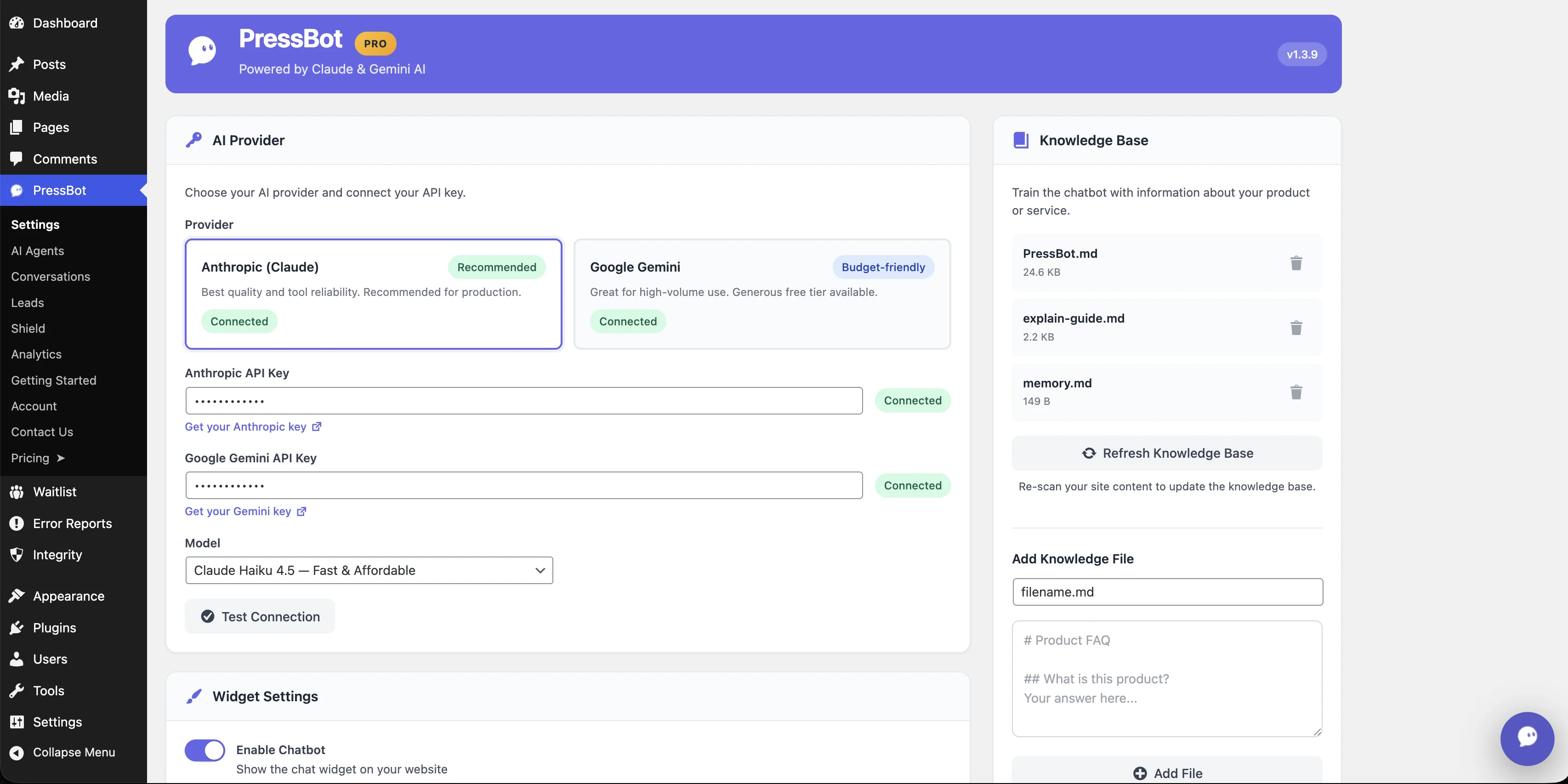
Control Center: AI Provider & Knowledge Base
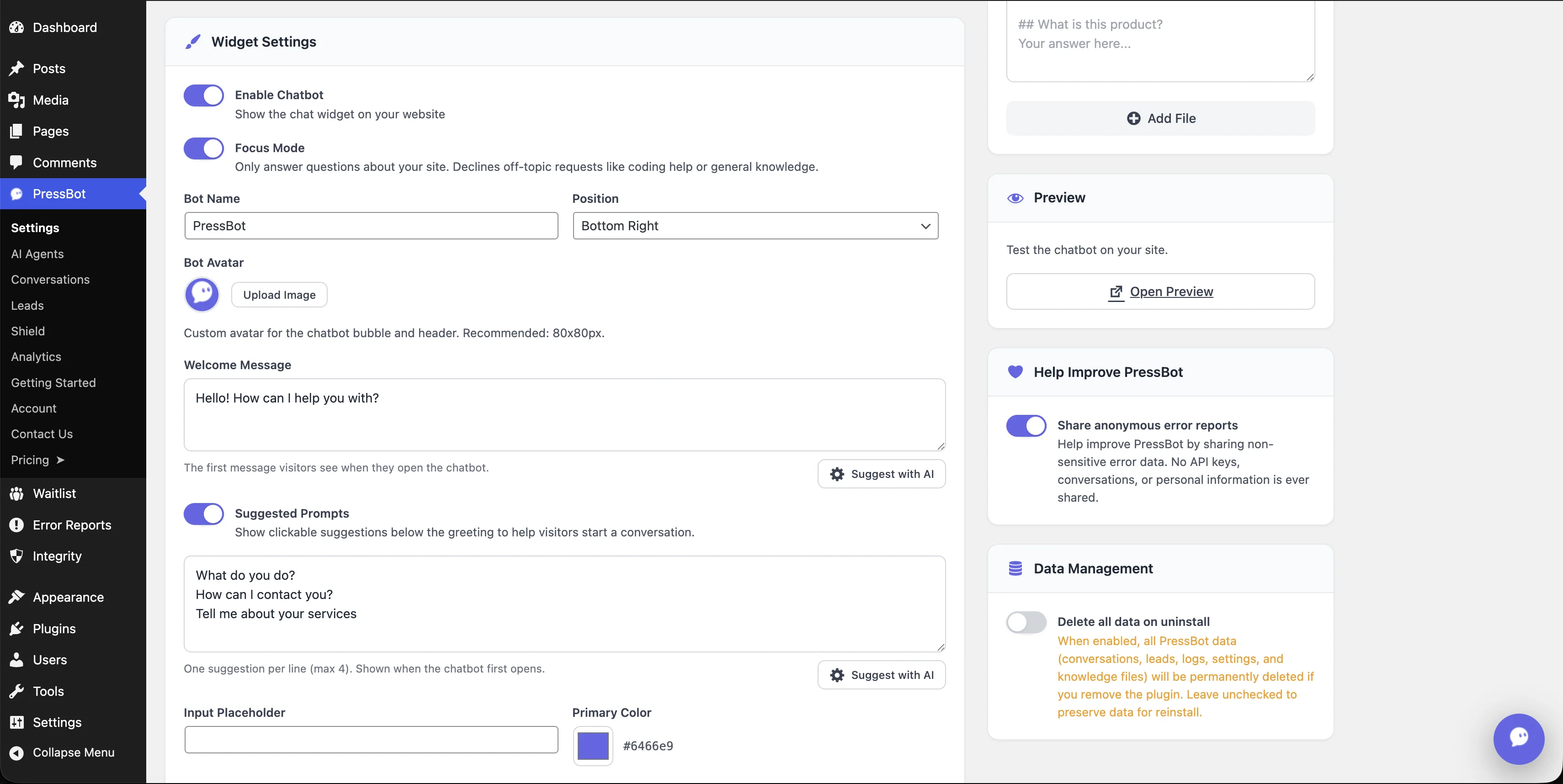
Widget Customization
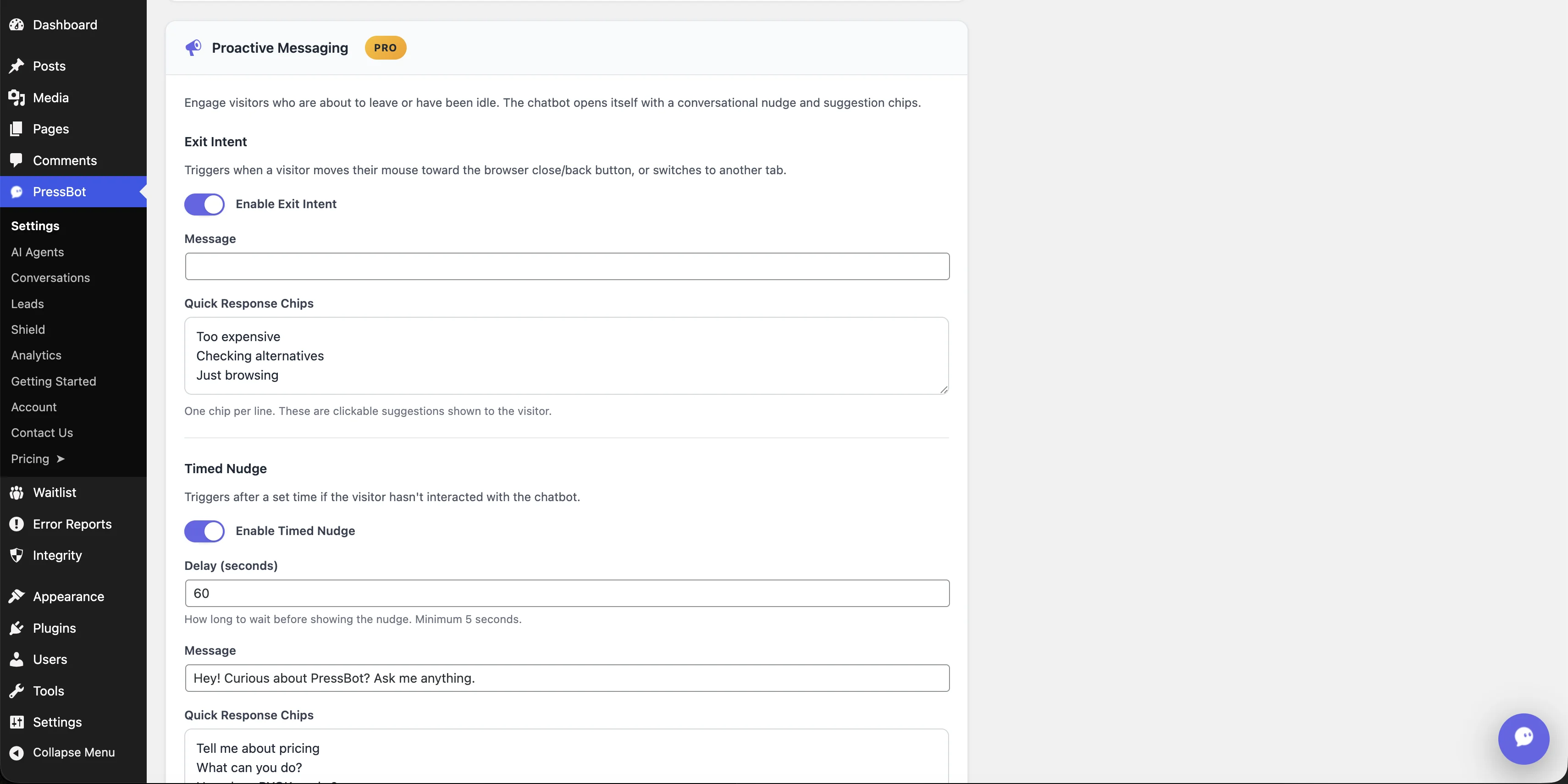
Growth: Proactive Messaging
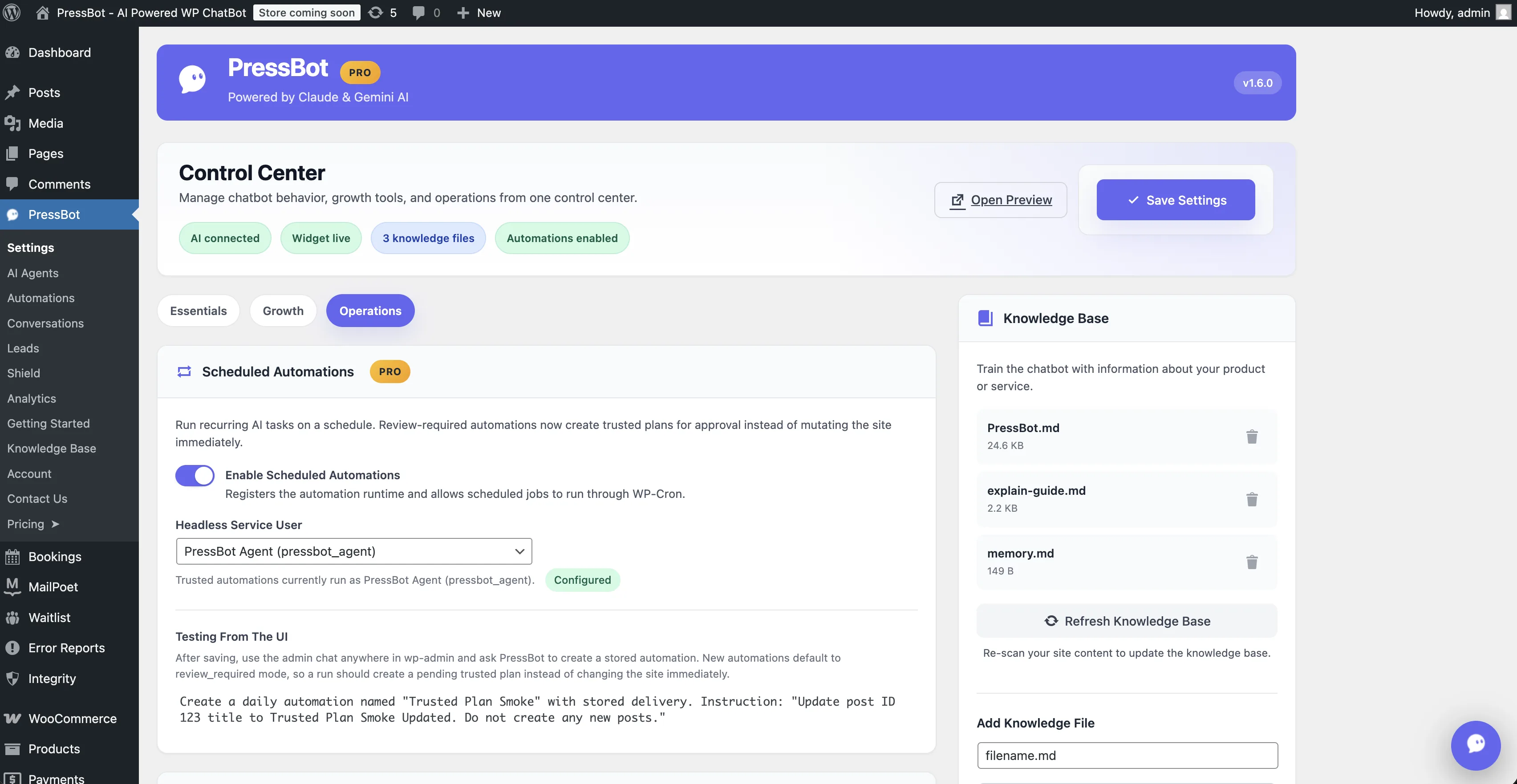
Operations: Scheduled Automations
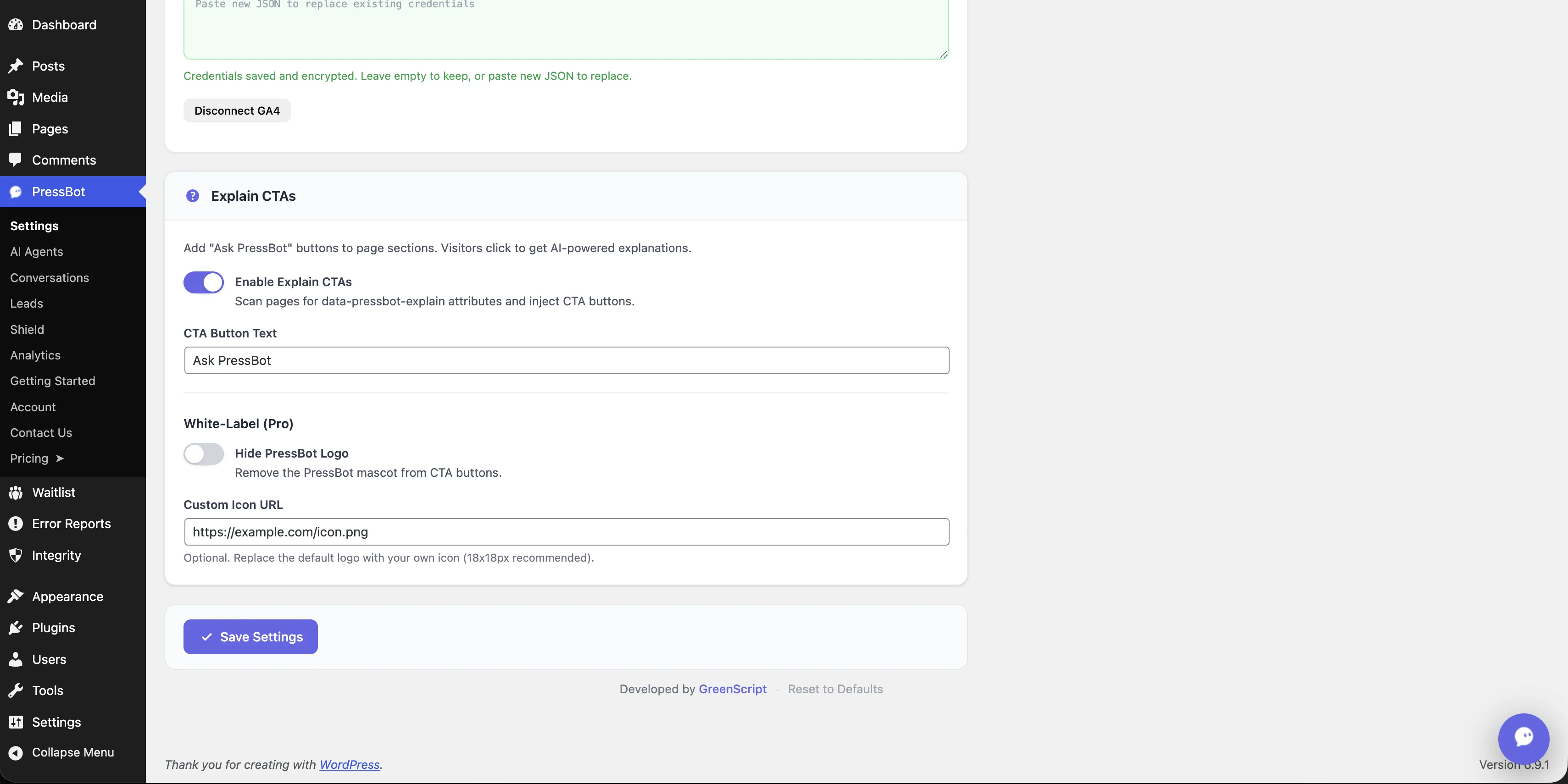
Timed Nudge, Explain CTAs & White-Label
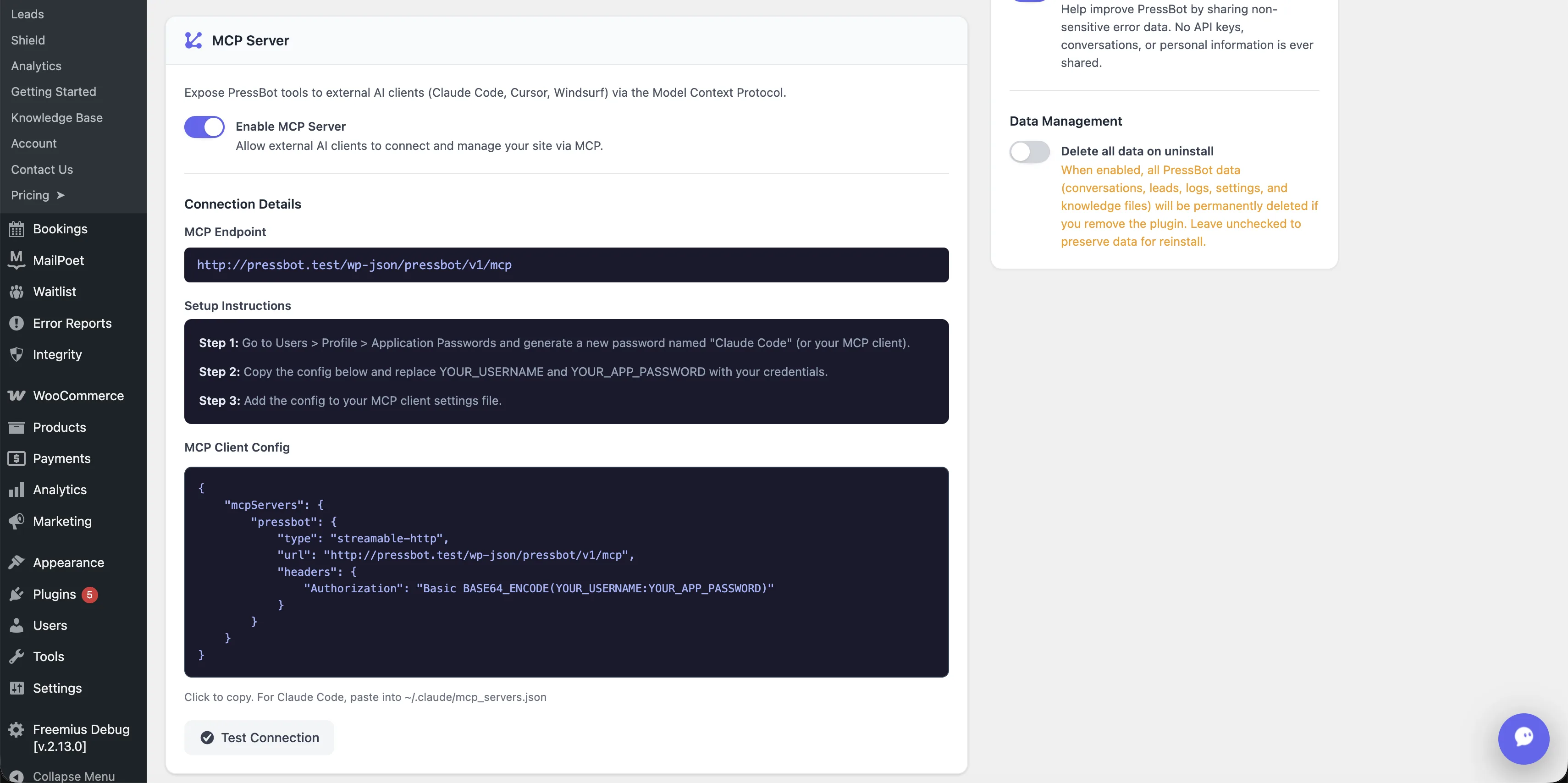
MCP Server Integration
Dual Provider Support
Anthropic Claude and Google Gemini side by side. Connect one or both — test connection with one click.
Deep Customization
Widget styling, proactive messaging, rate limits, Telegram integration, white-label — all from one Settings page.
Knowledge Base Manager
Your KB files live right next to settings. Add, edit, or auto-generate from your site content.
Section 02 · Gallery
Visitor chatbot Modern layout · Home + Messages
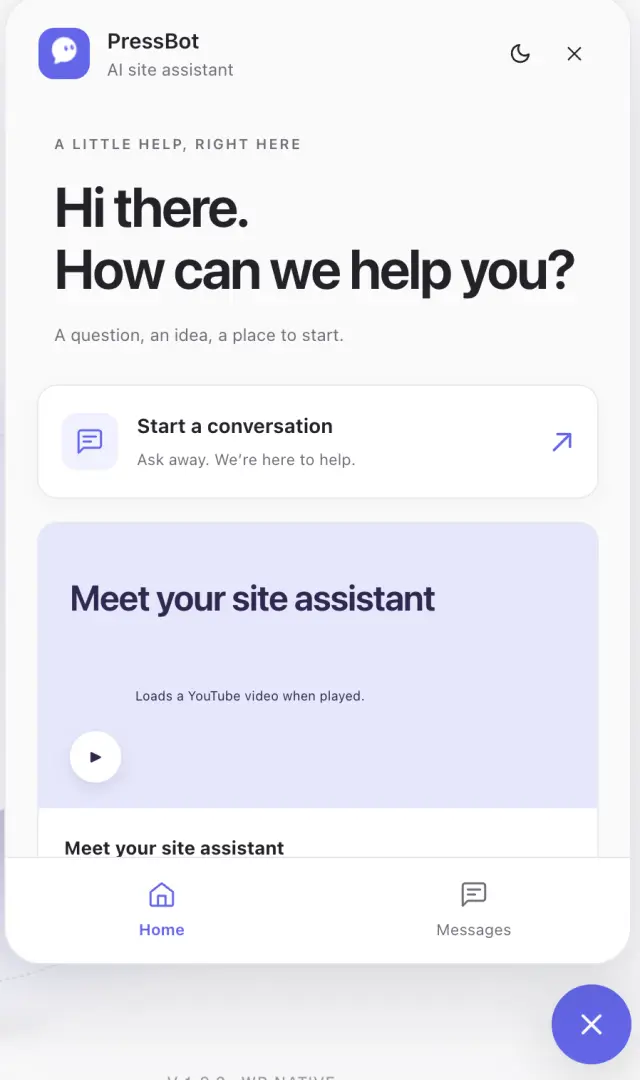
Modern Home (v1.9.0)
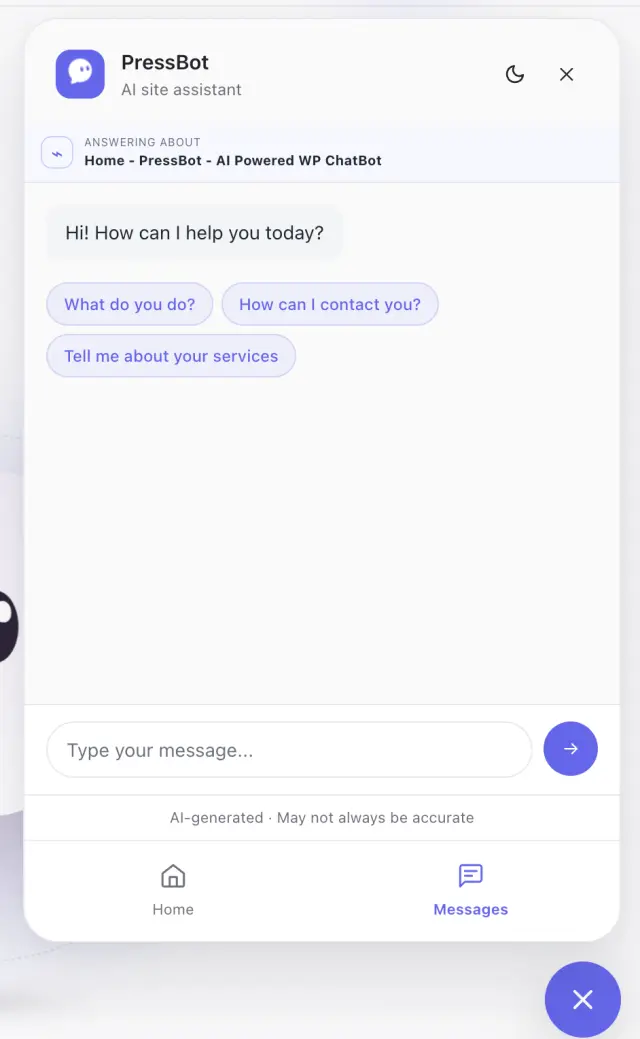
Modern Messages (v1.9.0)
Classic until you opt in
Now in 1.9.0. Existing sites keep Classic until an admin chooses Modern. Fresh installs start Modern / Comfortable / Home on. Switching back stays available.
Home and Messages stay in sync
Home/Messages nav keeps the thread and unsent drafts. Restored conversations open in Messages. Greeting stays separate from the Home title.
Public video, click to play
Featured YouTube is public-only. The player loads after Play and stops when you leave Home or close. No video on the admin agent.
Section 03 · Highlight
AI Agents 115 tools, one conversation
8-Stage Pipeline
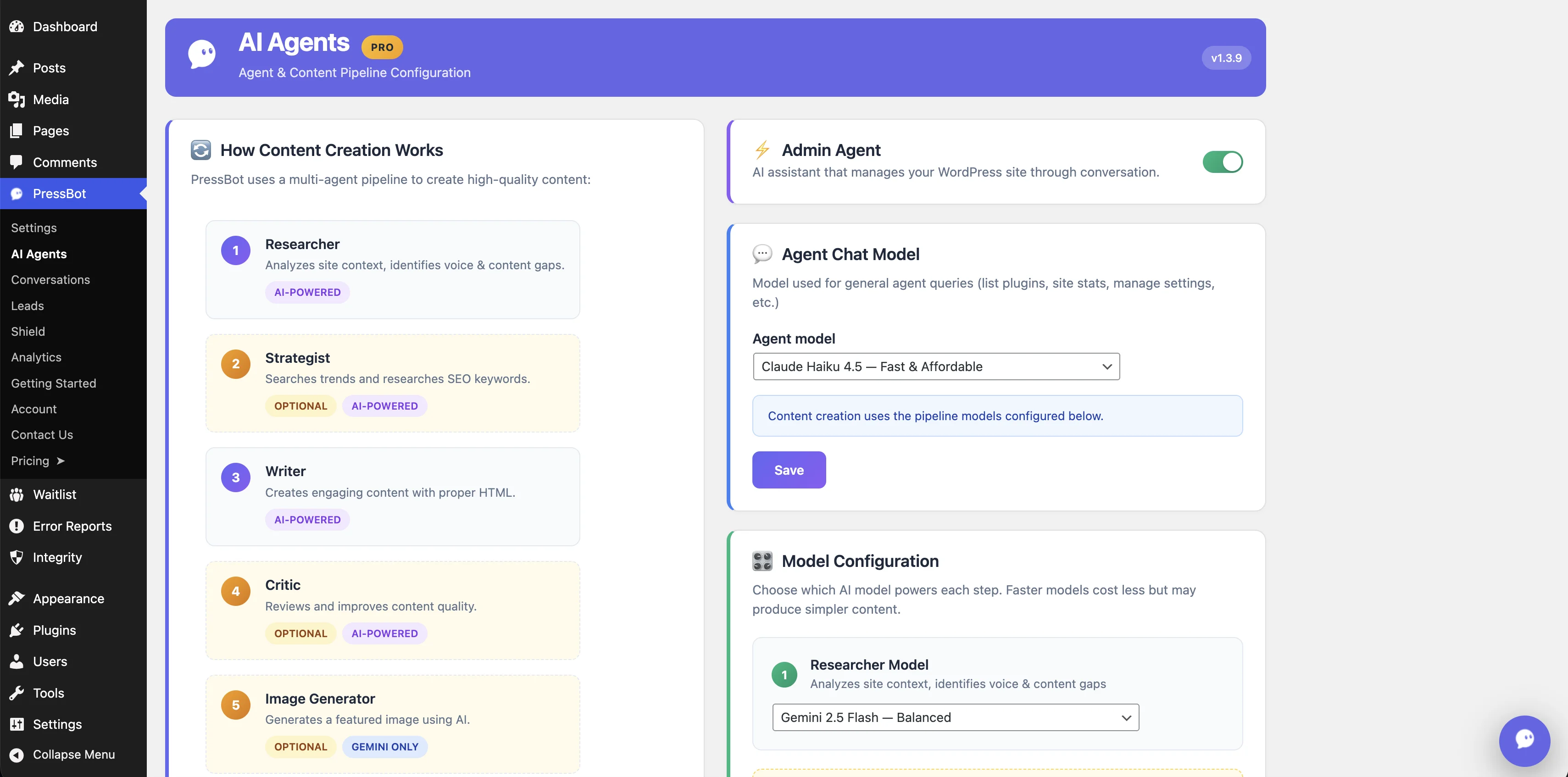
Researcher, Strategist, Writer, Critic, Image Generator, Categorizer, Executor — each stage handles a piece of the task.
Per-Stage Model Selection
Use fast models for research and categorization, capable models for writing. You control the cost/quality tradeoff.
Try These Commands
Built-in suggestions to get started: write posts, generate images, run security audits, check WooCommerce orders.
Section 04 · Gallery
Automations Scheduled AI tasks with approval gates
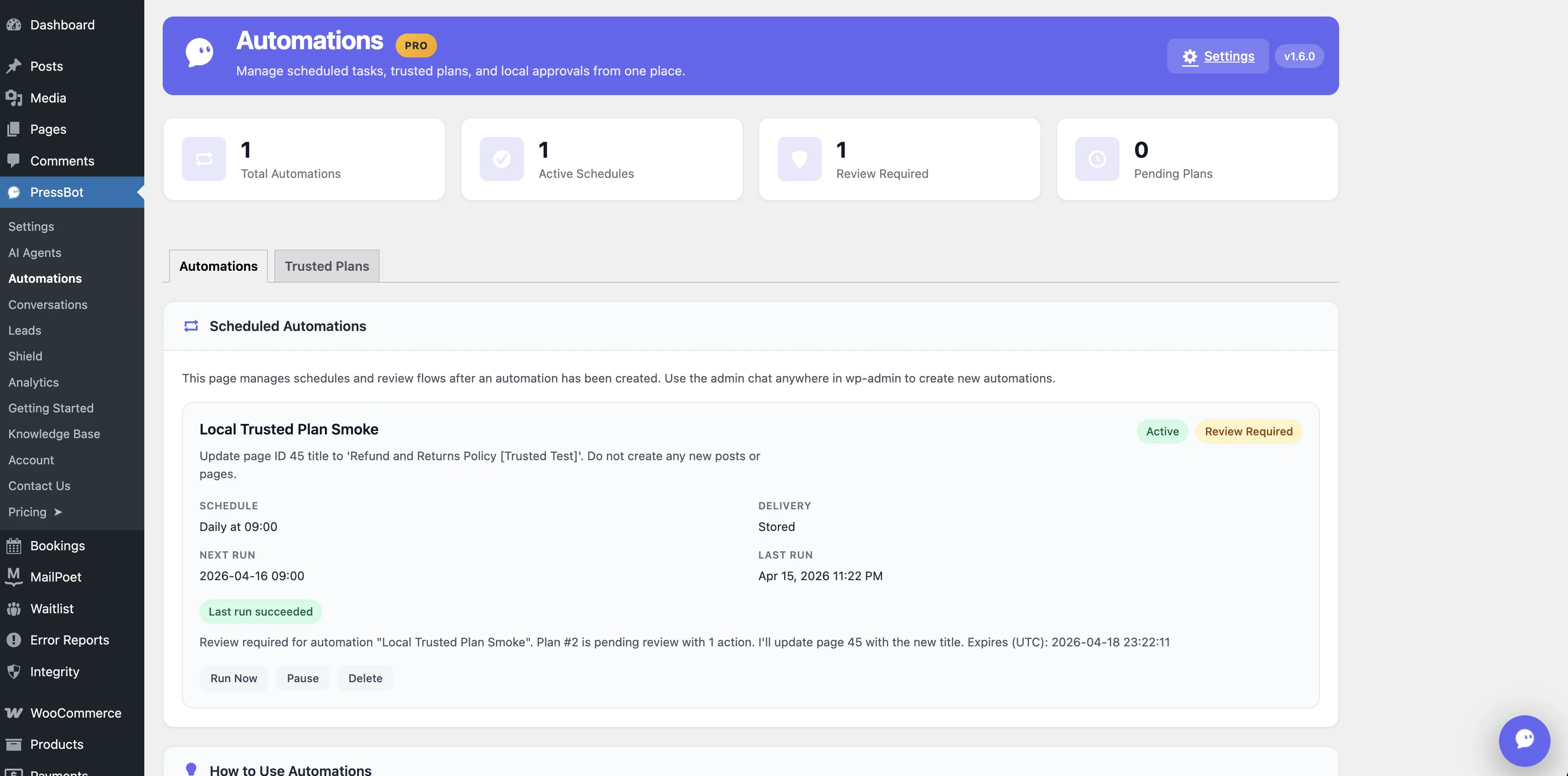
Automations Dashboard
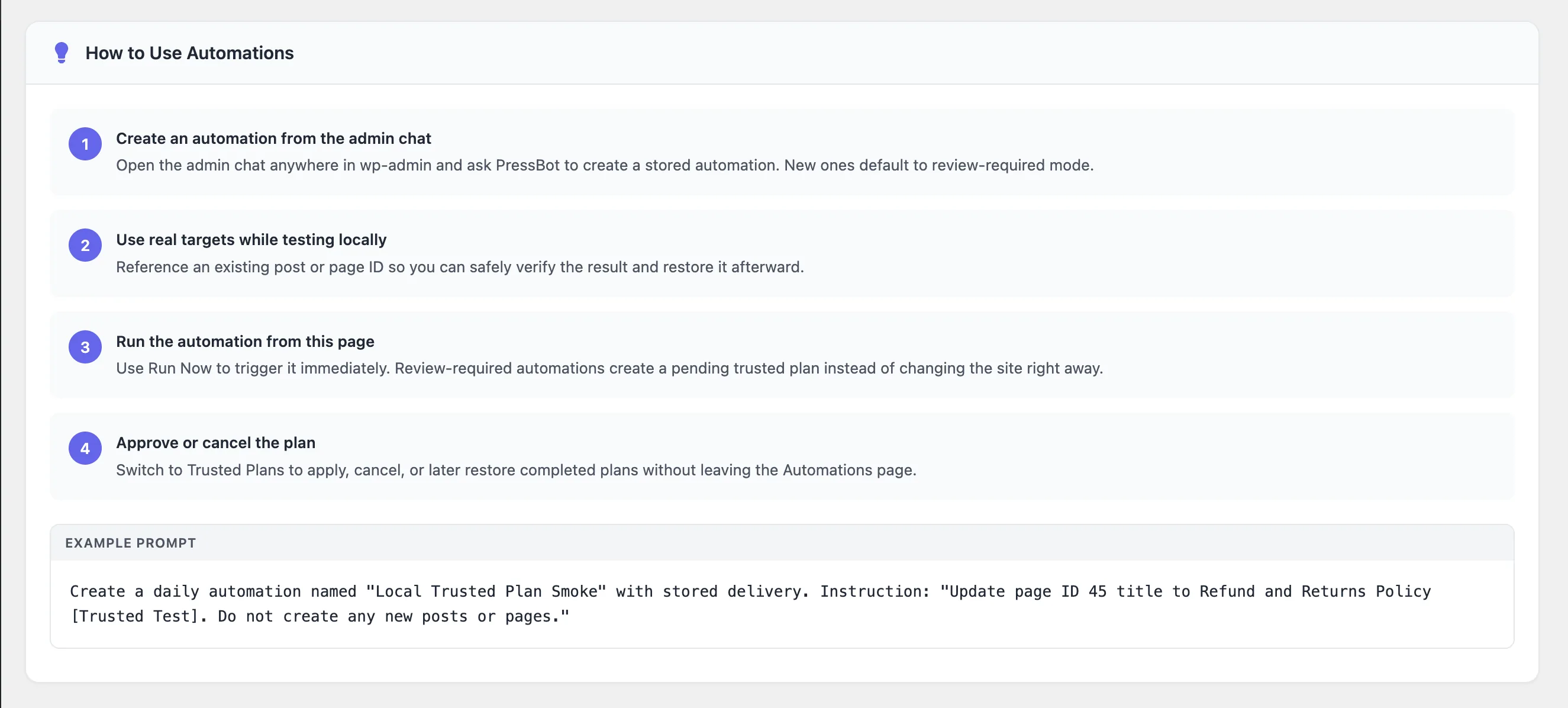
From Chat to Automation
Natural-Language Scheduler
Ask PressBot in admin chat: "run this daily at 9am." No cron expressions, no PHP — the schedule is saved and ready to run.
Review-Required by Default
New automations create trusted plans that wait for approval before touching the site. Test ambitious workflows without the blast radius.
One Dashboard, Full Lifecycle
Stat cards, Run Now, Pause, Delete, and the Trusted Plans tab — schedule, execute, review, and approve from a single page.
Section 05 · Highlight
Leads Capture visitor info through conversation
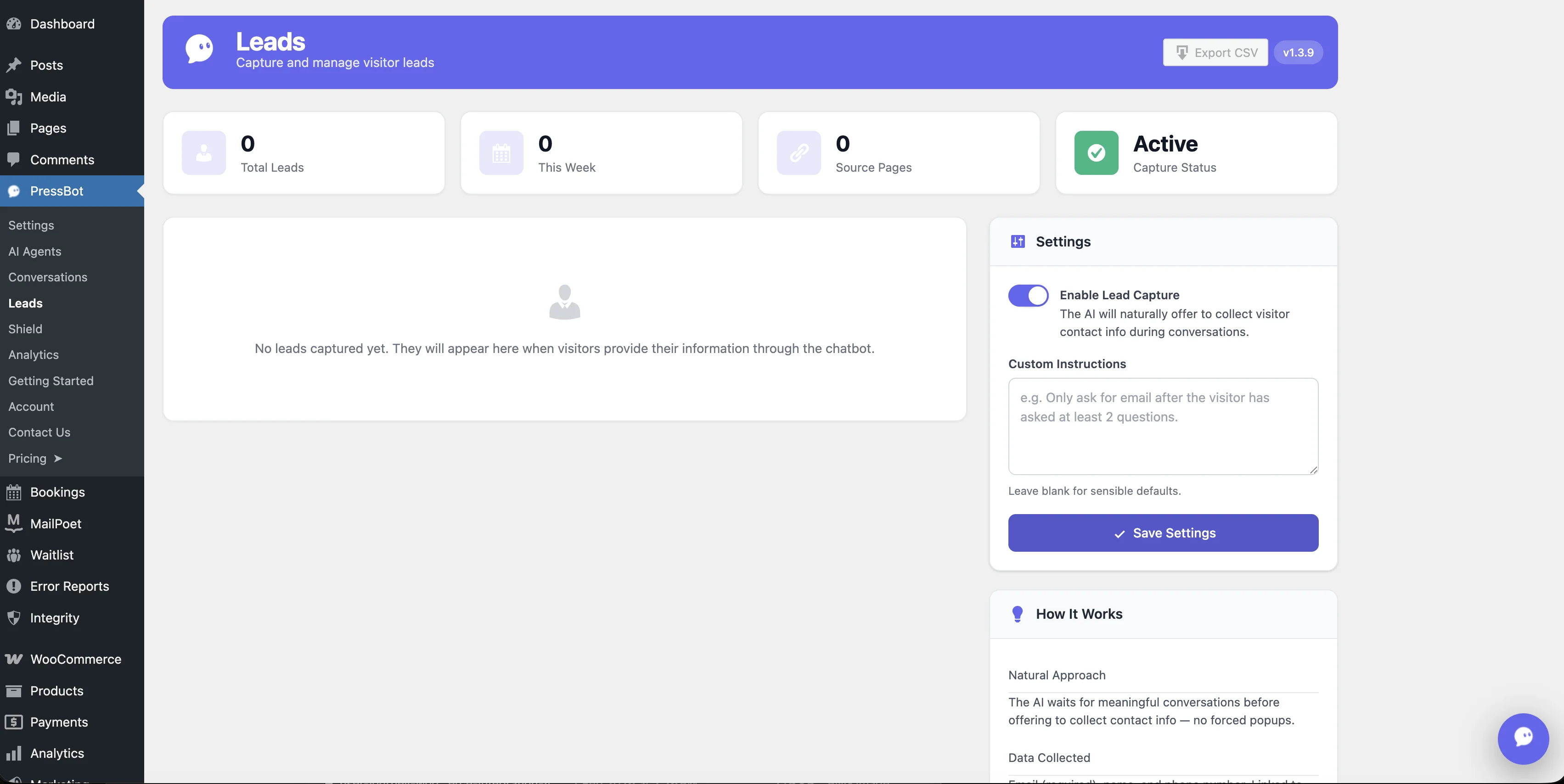
Conversational Capture
The chatbot naturally collects names and emails during conversation — no forms required.
Lead Dashboard
View, export, and manage captured leads. See which conversations generated each lead.
Custom Instructions
Control when and how the AI asks for contact info. Leave blank for sensible defaults.
Section 06 · Highlight
Conversations AI-powered insights from your visitor chats
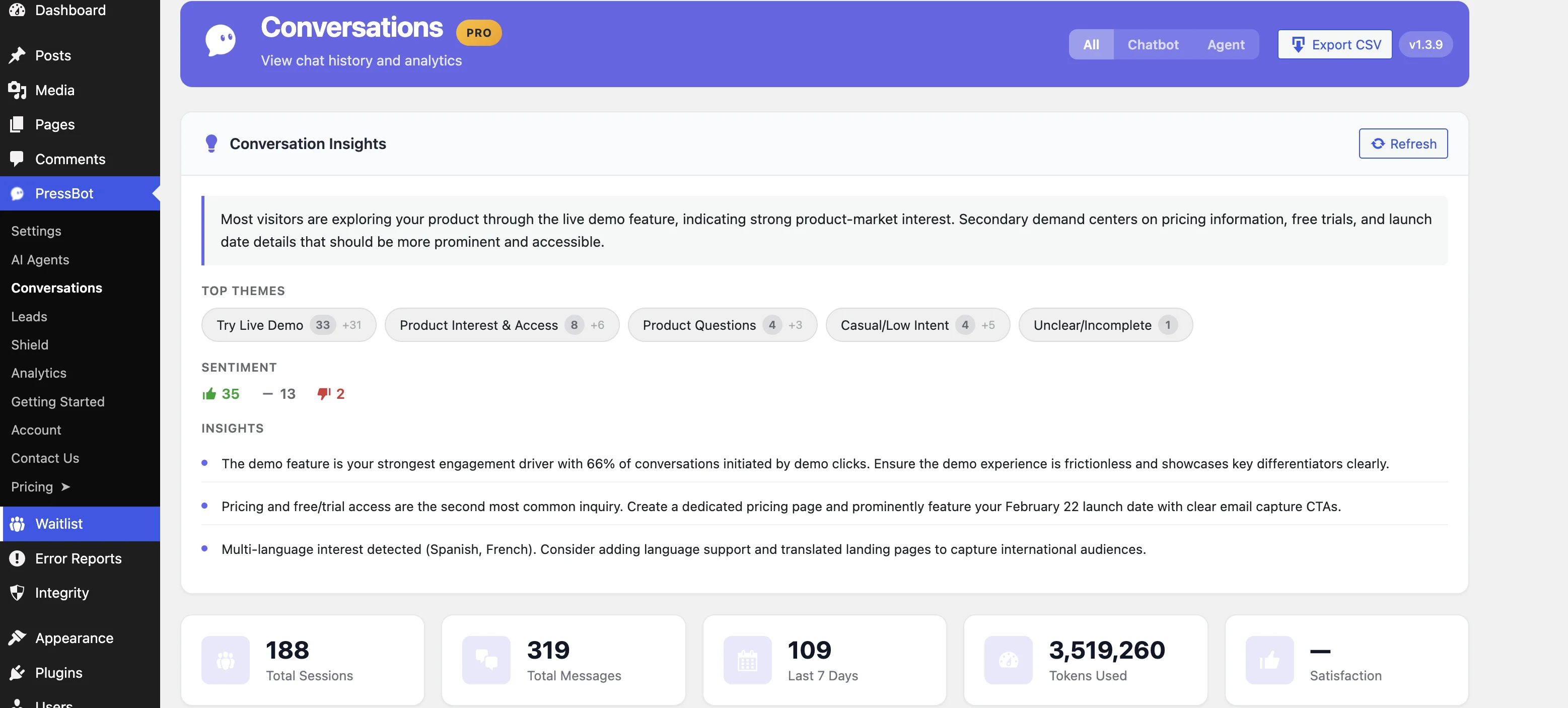
AI Conversation Insights
One click generates themes, sentiment, and actionable insights from your last 7 days of chats.
Theme Pills
Auto-detected topics link directly to the source conversations that mention them.
Sentiment at a Glance
See how visitors feel about your site with real-time sentiment breakdowns.
Real Data
188 sessions, 319 messages — real data from pressbot.io running on itself.
Section 07 · Highlight
Shield AI-powered login protection
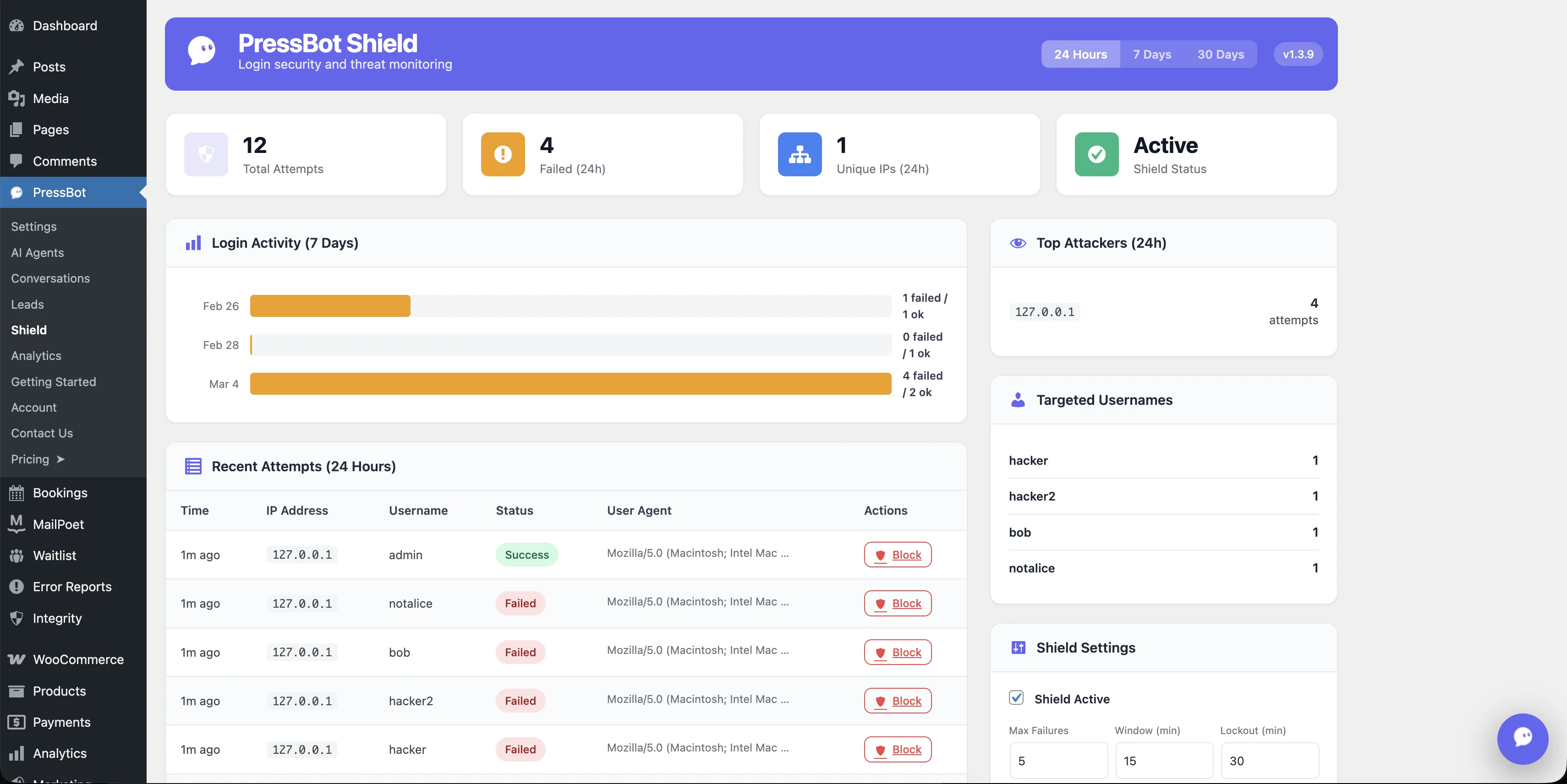
Lockout Rules
Set max failures, time window, and lockout duration. IPs that exceed thresholds are blocked automatically.
AI-Enhanced Reports
Threat analysis powered by AI — contextual insights sent to your Telegram, typically under $0.01/day.
GA4 Built In
Connect your Google Analytics 4 property with a service account. Traffic data flows into PressBot automatically.
Section 08 · Gallery
Analytics Usage, costs, and site traffic in one place
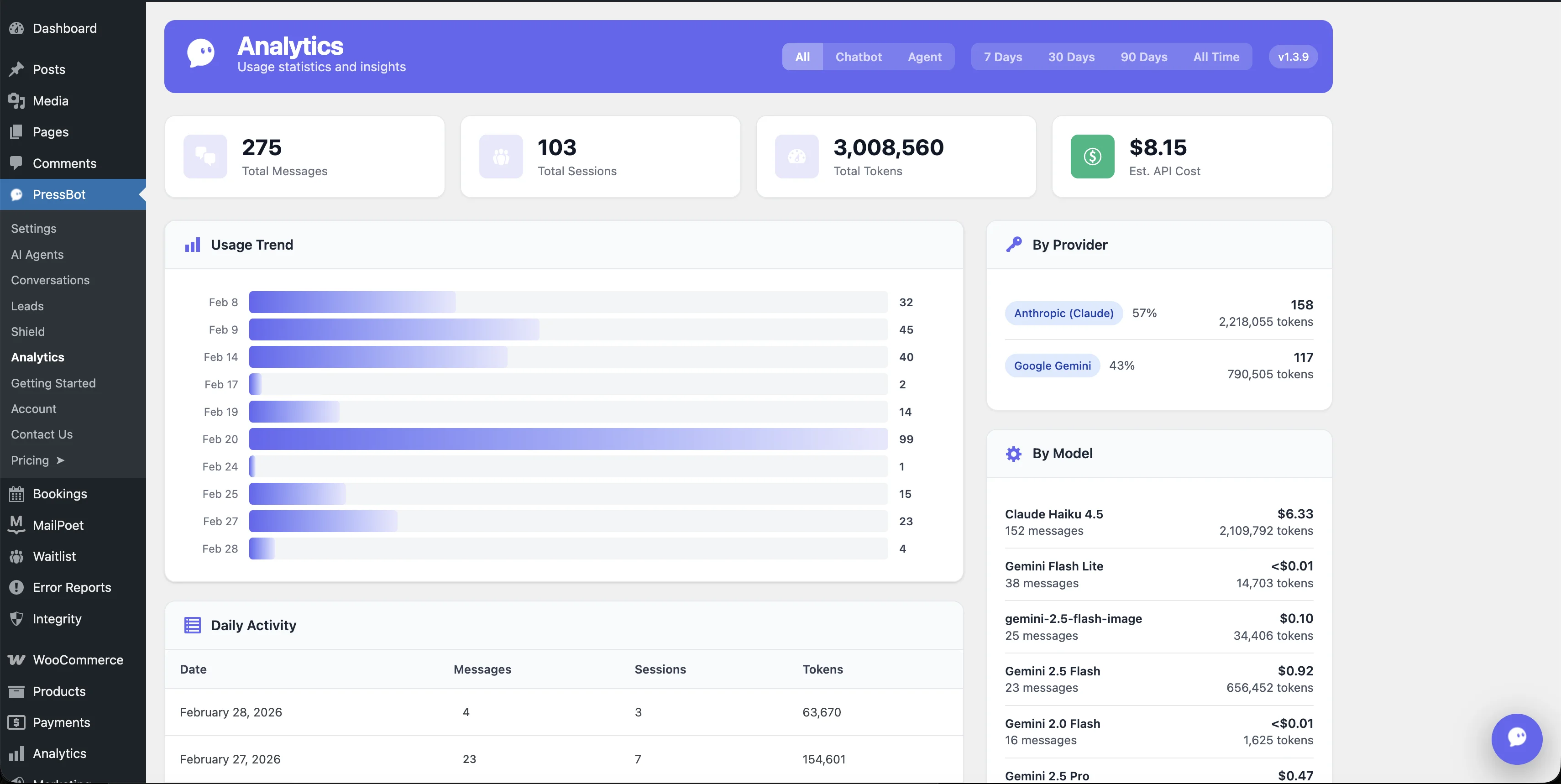
Usage & Cost Breakdown
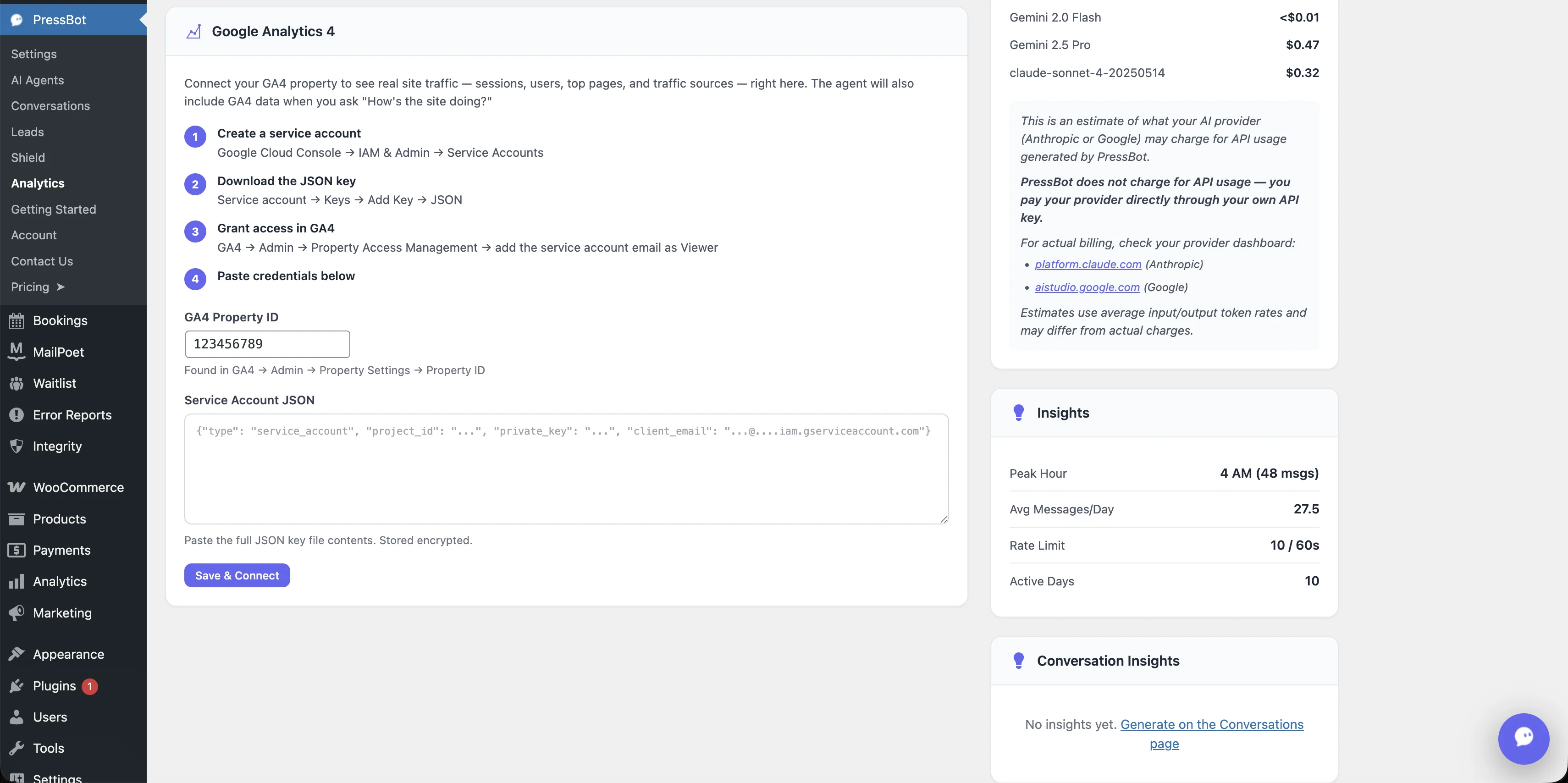
GA4 & Insights
Usage Dashboard
Track messages, sessions, tokens, and estimated API costs — broken down by provider and model.
GA4 Built In
Connect your Google Analytics 4 property with a service account. Sessions, users, and top pages inside PressBot.
Cost Transparency
See exactly what each AI model costs you. Claude Haiku 4.5 at $6.33, Gemini Flash Lite under a cent — you choose the tradeoff.
Section 09 · Gallery
MCP Server Manage WordPress from your IDE
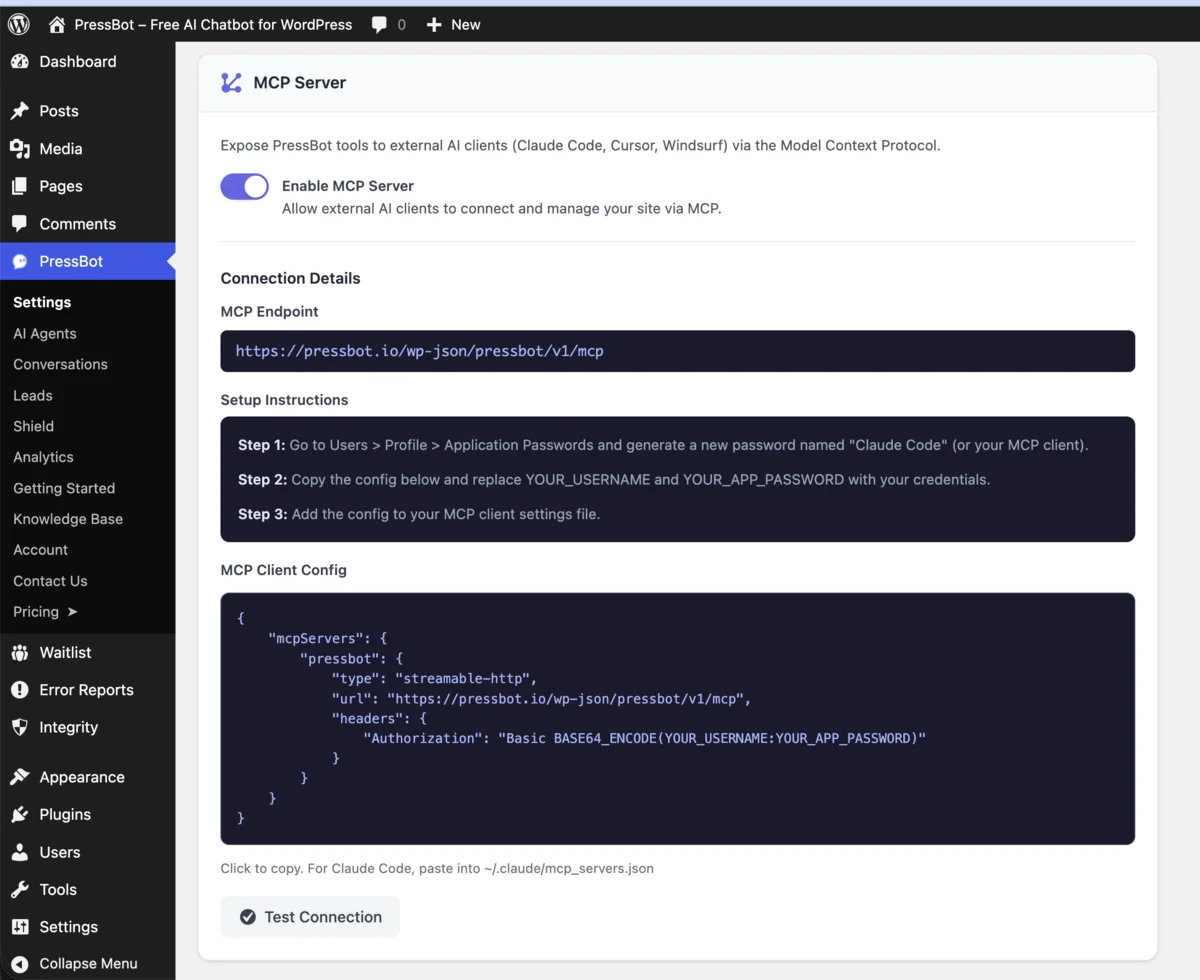
MCP Settings Panel

Security Audit via MCP
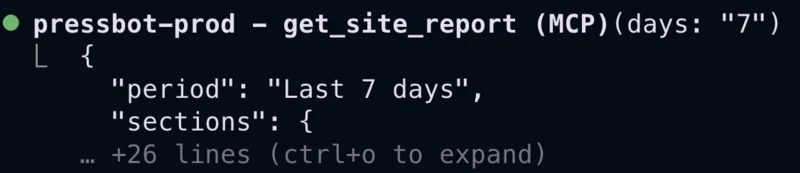
Site Report via MCP

Site Index via MCP
IDE Integration
Connect Claude Code, Cursor, Codex, or any MCP agent to your WordPress site. All 115 tools accessible from your editor.
WordPress Auth
Uses Application Passwords — built into WordPress core. No SSH, no custom API keys. Revoke access anytime.
Knowledge as Context
Your knowledge base entries are exposed as MCP resources. AI clients read your site context before taking action.
Screenshots taken February 2026. PressBot is actively maintained — we refresh these images when significant UI changes ship.
Ready when you are
Install it. Bring your own keys.
PressBot is free to install. Pro unlocks the AI agent, Shield, automations, MCP, and the full toolbelt — all under your own API keys.