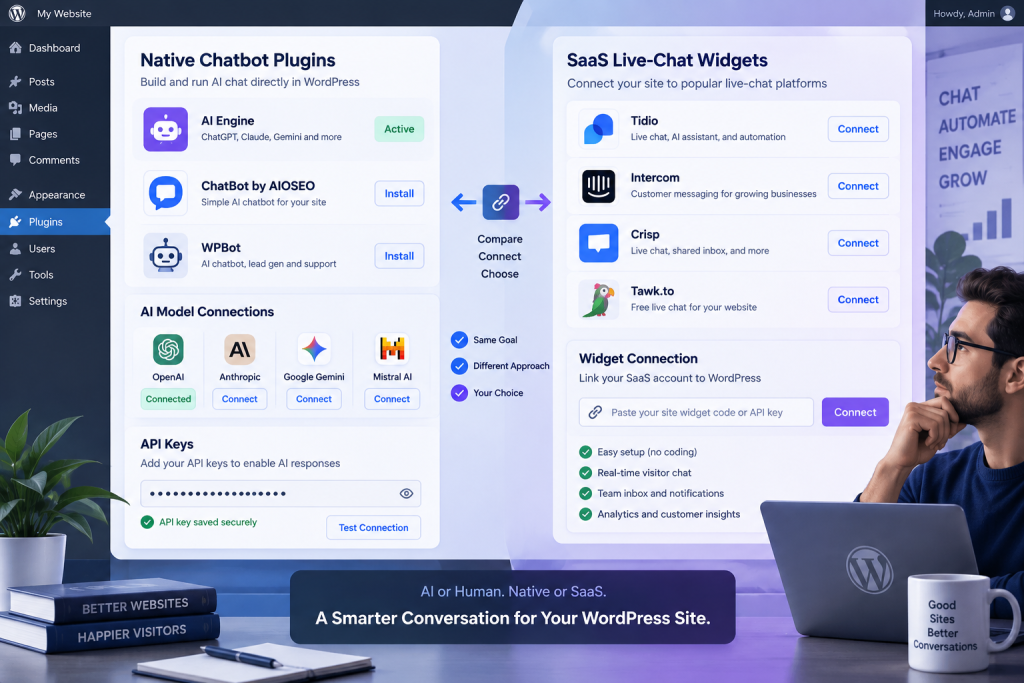
Most “free” WordPress chatbots are free in different ways. Some are free forever because you plug in your own AI key and pay the provider a few cents. Some give you a handful of AI replies and then ask for a subscription. Some are free live chat with no AI at all. Search “best free chatbot for WordPress” and all three show up in the same list.
This comparison sorts them by what the free plan actually includes: AI answers or not, monthly caps, whose AI key pays for the replies, and whether the bot learns from your site. We make PressBot, so it’s on the list. We’ll say where the others do better.
Plans and prices checked September 24, 2026, on each vendor’s pricing page and WordPress.org listing. PressBot details updated September 25, 2026 for version 1.11.0. SaaS prices change often, so check before you buy.
The Short Version
- Free visitor chat, plus an admin AI agent later: PressBot
- Most popular AI toolkit on WordPress.org: AI Engine
- Free bot that answers from your whole site: PressBot, MxChat, or WPBot
- No API key to set up: Hyve Lite
- AI plus content tools in one plugin: AI Puffer
- Human live chat first, AI second: Tidio
Free Plans Compared
| Plugin | AI on the free plan | Free limit | Who runs the AI | Learns from your site (free) | Cheapest upgrade |
|---|---|---|---|---|---|
| PressBot | Yes | None, you pay your AI provider | Your key: Claude, GPT, Gemini, DeepSeek, or Ollama Cloud | Yes, searches your published pages and posts, plus knowledge notes and products | $29/yr, 1 site |
| AI Engine | Yes | None, you pay your AI provider | Your key, many providers | No, content-aware answers are Pro | $79/yr, 1 site |
| MxChat | Yes | None, you pay your AI provider | Your key, many providers | Yes, pages, sitemaps, and PDFs | $69.97 lifetime |
| WPBot | Yes (also works without AI) | None, you pay your AI provider | Your key via OpenRouter or Gemini | Yes, site content | $39/yr, 1 site |
| Hyve Lite | Yes | 500 hosted messages/month, or unlimited on your own OpenAI key | Hosted by Themeisle, or your OpenAI key | Yes, posts, pages, products | $79 lifetime, 1 site |
| AI Puffer | Yes | None, you pay your AI provider | Your key, many providers | File and URL training is Pro | $9.99/month |
| Tidio | A trial | 50 AI conversations total, not per month | Hosted by Tidio | From the support content you add | $29/month |
“Your key” means BYOK: you create an API key with an AI provider and pay them per use. For a typical visitor conversation that’s about 2 cents on Claude Haiku 4.5, and under a cent on budget models like GPT-6 Luna or DeepSeek. That’s why BYOK plugins can offer free chat without a monthly cap.
1. PressBot: Free Visitor Chat, Admin Agent When You Want It
Free plan: a visitor chatbot with no message cap and no per-message fee from us. Bring a key from Anthropic, OpenAI, Google, DeepSeek, or Ollama Cloud. Since version 1.11.0 it searches your published pages and posts, answers from what they say, and links the page it used; you choose which content types it reads, in priority order. It also uses the knowledge notes you add (up to 10 on the free plan), searches your WooCommerce products for shoppers, and can connect to your own retrieval (RAG) service. The Modern chat layout, home screen, and conversation logs are free too.
The catch: site answers use keyword search rather than embeddings, so the bot finds pages that use the visitor’s words; the AI writes the search terms, which covers most questions, but a page that only says the same thing differently can be missed. Answers that need a search take a few seconds longer. It also isn’t on WordPress.org, so you install it from a zip at pressbot.io.
Upgrade: Pro is $29/yr for one site (Business $59 for 5 sites, Agency $99 for 50). Every paid plan gets the same features: a private admin agent with 115 tools that works inside wp-admin, including Trusted Plans you approve before anything changes, WooCommerce, Yoast, ACF, security alerts, and MCP.
Pick it if you want a free visitor bot now and may later want AI that helps run the site, not just answer visitors. Start with the free WordPress chatbot.
2. AI Engine: The Most Popular AI Toolkit
Free plan: chatbots on your own key, with a long list of providers (OpenAI, Anthropic, Google, Mistral, OpenRouter, and more), plus AI content tools. It’s the most-installed plugin here, with about 90,000 active installs and a 4.9 rating on WordPress.org.
The catch: on the free plan, the chatbot doesn’t learn from your content. Embeddings and content-aware answers are Pro, and so are the WooCommerce tools.
Upgrade: Pro from $79/yr for one site.
Pick it if you like building your own AI features and want a WordPress.org install.
3. MxChat: A Free Bot That Learns Your Whole Site
Free plan: a visitor chatbot on your own key (OpenAI, Anthropic, Gemini, DeepSeek, xAI, or OpenRouter) that you can train on your site content, sitemaps, and PDFs. WooCommerce product training is in the free core.
The catch: it’s visitor chat only, with no admin-side AI. Cart and order features in chat need a paid add-on. It’s also a smaller project, at about 2,000 active installs.
Upgrade: Pro is $69.97 lifetime for one key.
Pick it if you want the most site knowledge on a free plan and only need visitor chat.
4. WPBot: Free Site Search, With or Without AI
Free plan: works as a simple rule-based bot with no AI at all, or with AI through OpenRouter (Claude, GPT, DeepSeek, and others) or Gemini. The free version lists retrieval over your website content, so AI answers can come from your pages.
The catch: the WooCommerce module needs the Professional plan ($99/yr).
Upgrade: Starter is $39/yr for one site.
Pick it if you want site-aware answers for free, or a bot that still works when you don’t want to use AI.
5. Hyve Lite: No API Key to Set Up
Free plan: Themeisle can host the AI for you, with 500 messages a month and no API key needed. It trains on your posts, pages, and WooCommerce products. You can also use your own OpenAI key for unlimited messages.
The catch: your own key must be OpenAI; there’s no Claude or Gemini option. Once you pass 500 hosted messages, you upgrade or switch to your own key.
Upgrade: Pro is $79 lifetime for one site, with 10,000 hosted messages a month and live WooCommerce order and stock lookups.
Pick it if you want the quickest setup and your traffic fits in 500 messages a month.
6. AI Puffer: Chatbot Plus Content Tools
Free plan: a chatbot on your own key (OpenAI, Gemini, DeepSeek, OpenRouter, xAI, and Azure) alongside AI content generation. About 10,000 active installs.
The catch: training from PDFs, text files, and URLs is Pro, as is the local Ollama option.
Upgrade: Pro from $9.99/month for one site.
Pick it if you want one plugin for both a chatbot and AI writing.
7. Tidio: Live Chat First, AI as a Trial
Free plan: a polished live-chat inbox for human agents, with 50 conversations a month. Lyro, Tidio’s AI agent, is included as 50 AI conversations in total, a one-time allowance rather than a monthly one. The WordPress plugin connects your site to Tidio’s hosted service and can show visitors’ WooCommerce carts and orders.
The catch: ongoing AI replies need a paid Lyro plan (from $39/month), and there’s no BYOK or model choice.
Upgrade: Starter is $29/month.
Pick it if your team answers chats itself and AI is a bonus. See our Tidio alternative page for the tradeoffs.
Why Crisp Isn’t on This List
Crisp is a good shared inbox, but its free plan includes no AI. Its AI agent starts on the Mini plan ($45/month, with a small monthly AI credit), so it isn’t a free AI chatbot. More in our Crisp alternative breakdown.
How to Choose a Free WordPress Chatbot
Who pays for the AI? With BYOK plugins (PressBot, AI Engine, MxChat, WPBot, AI Puffer) there’s no cap; your provider bills you a few cents per conversation, and you can switch to a cheaper model any time. Hosted plans (Hyve Lite, Tidio) need no key but stop at a message allowance.
Where does it get its answers? A bot that can’t see your content will guess. MxChat, WPBot, and Hyve Lite index your site on the free plan, and PressBot searches your published pages when a question needs them. AI Engine needs Pro for this.
Do you sell with WooCommerce? PressBot’s free chat searches products for shoppers, MxChat trains on your catalog, and Hyve Lite learns product pages. Order lookups and carts usually sit on paid plans.
Will you want more than visitor chat? Every plugin here answers visitors. PressBot Pro also gives you an AI agent inside wp-admin for posts, plugins, SEO, and your store, and it waits for your approval before risky changes.
FAQ
Is there a completely free AI chatbot for WordPress?
The plugin can be free, but AI replies cost someone money. BYOK plugins like PressBot, MxChat, and WPBot are free to install and use with no cap; you pay your AI provider directly, usually a few cents per conversation or less. Google’s Gemini API also has a Free tier for testing, but for a live site use a paid project.
Which free chatbot works best with WooCommerce?
For free product search in chat, PressBot and MxChat both cover it on your own key. Hyve Lite learns product pages on its hosted plan. Tidio shows carts and orders to your human agents.
Do I need coding skills?
No. Every plugin here installs like any other plugin. BYOK options need one extra step: pasting an API key from your AI provider into the settings.