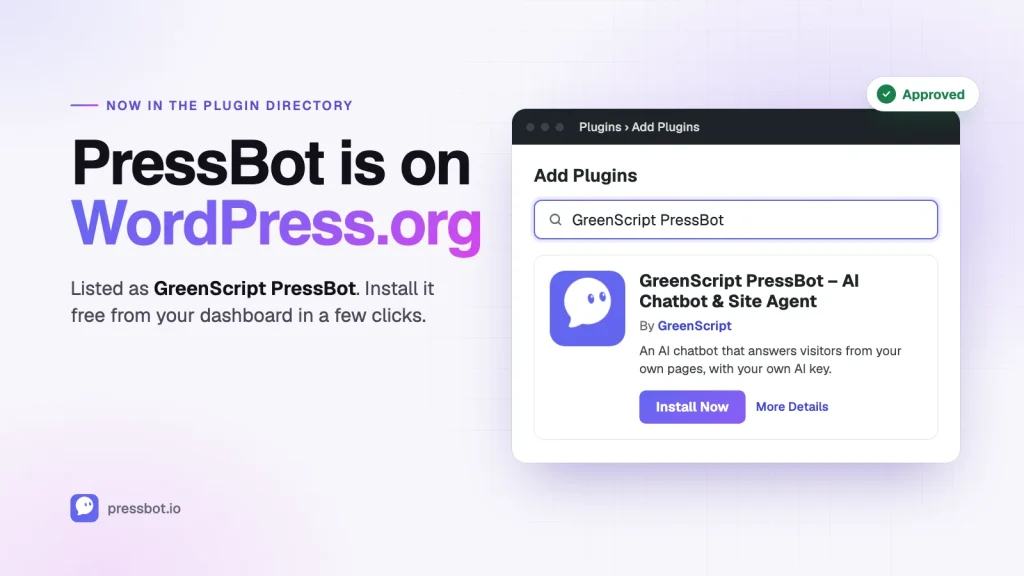
You can now install PressBot straight from your WordPress dashboard. Go to Plugins → Add New, search for GreenScript PressBot, and click Install. Or open the listing: wordpress.org/plugins/greenscript-pressbot.
It’s the same free plugin you could already download from pressbot.io: an AI chatbot that answers your visitors from your own pages and links the page it used, Site Check, and a read-only MCP server. You bring your own AI key, and there are no per-message fees. Pro still adds the admin agent and everything else.
Why is it called “GreenScript PressBot” there?
WordPress.org doesn’t allow plugin names that are built on “Press”, because the directory reads them as a reference to WordPress itself. “PressBot” is exactly that kind of name, so it wasn’t accepted on its own.
The fix was to put our company name in front: GreenScript PressBot. GreenScript is the studio behind PressBot, so the listing name starts with something we own, which is what the rule asks for. The product is still PressBot. You’ll see PressBot everywhere inside the plugin, on this site, and in our videos.
Why it took us this long
Honestly, this rule almost made me quit the project a few months ago.
Our first submission was rejected over the name. For a small product, a name is a lot of what you have: the domain, the brand, every screenshot and video. A directory listing under a completely different name felt like it would split PressBot in two, so I stopped trying and distributed the plugin from pressbot.io instead.
This month I tried again. We went through a full review: moving inline scripts into proper files, tightening permission checks, hiding raw provider errors from visitors, and making the free build pass WordPress.org’s Plugin Check with zero errors. Then the review came back with the same answer about the name, and it stung.
What changed this time is that instead of arguing, I asked. I wrote back, said I wanted to follow the same rules as everyone else, asked them to help me understand how the rule applies, and offered a compromise: put a name we own first, then PressBot. They accepted it, changed the slug to greenscript-pressbot, and a couple of days later the plugin was approved.
If you installed PressBot from pressbot.io
Nothing breaks. The WordPress.org version uses a different folder (greenscript-pressbot instead of pressbot), so WordPress treats it as a separate plugin. If you install it while the old copy is active, PressBot turns the old copy off automatically and keeps all your settings: your keys, knowledge base, conversations, everything. You’ll see a one-time notice, and you can then delete the old copy from Plugins.
Pro customers don’t need to do anything.
What I’d tell other plugin developers
- Check the naming rules before you fall in love with a name. Read the detailed plugin guidelines. Names that start with “WP”, contain “WordPress”, or are built on “Press” are likely to be questioned.
- Run Plugin Check on your real release build, not just your development copy. Build steps can change things in ways you don’t expect.
- When a review says no, ask instead of arguing. The review team is a group of volunteers handling a huge queue. A short, specific question (“how does this rule apply here, and would this alternative work?”) got us further than any frustrated reply would have.
- Keep your brand where you control it. Our listing has a longer name, but the product, the site and the experience are still PressBot.
What’s next
Being in the directory means more people can find PressBot without ever visiting this site, so reviews matter more than ever. If PressBot has been useful to you, a short review on WordPress.org would mean a lot to a small team: leave a review.
And if you’ve been waiting for PressBot to show up in the directory before trying it, it’s there now. Search GreenScript PressBot in Plugins → Add New.