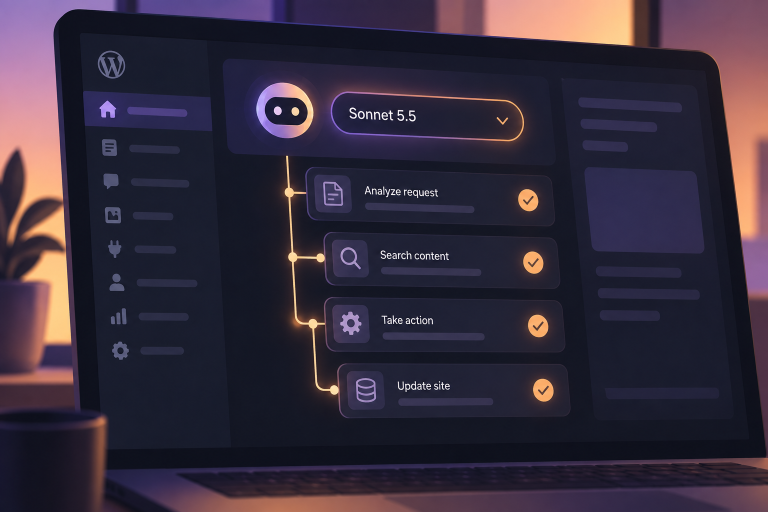
On April 19, 2026, Vercel confirmed a security incident affecting a limited subset of its internal systems. The attack didn’t come through Vercel’s own infrastructure. It came through a third-party AI tool integrated into Vercel’s workflows — specifically, a Google Workspace OAuth application that had been compromised in what appears to be a broader attack targeting many organizations using the same tool.
A threat actor claiming affiliation with ShinyHunters is reportedly offering Vercel’s internal data for $2 million, allegedly including access keys, source code, employee accounts, API keys, NPM tokens, and GitHub tokens. ShinyHunters has since denied involvement, which may mean a copycat or a loosely affiliated individual. Vercel says customer services weren’t impacted, and is advising developers to review environment variables, rotate secrets, and take advantage of its sensitive-environment-variable feature.
If you build on Vercel — or on any platform where you’ve connected AI-powered third-party tools to your dev or deploy environment — there is work to do this week.
What to do if you’re a developer
This is the boring, unglamorous, high-leverage part. Nothing below requires a security product. It requires an afternoon.
- Rotate secrets in every environment. Production, staging, preview, and local
.envfiles. API keys, database credentials, OAuth client secrets, CI/CD tokens, webhook signing secrets. If you don’t know which were scoped to the compromised tool, rotate them all — rotating a key you didn’t need to rotate costs ten minutes; not rotating one you should have costs a lot more. - Audit connected OAuth apps. Open your Google Workspace admin console (or your identity provider of choice) and review every third-party app with access to your data. Revoke anything you don’t actively use. For the rest, check the scopes — most AI tools request more access than they need.
- Review environment-variable visibility. On Vercel, enable the sensitive environment variable setting for anything that shouldn’t be readable by preview deployments or team members. The same principle applies on Netlify, Render, Fly, Railway, and GitHub Actions — treat secret visibility as an explicit choice, not a default.
- Enforce phishing-resistant 2FA everywhere. Especially on the accounts you use to deploy. If your CI/CD provider supports WebAuthn or passkeys, use them. SMS 2FA is a stopgap, not a solution.
- Scope down integrations. AI coding assistants, code reviewers, and preview tools rarely need admin-level access. If an integration asks for scopes you don’t understand, assume you don’t need them and grant the smaller set.
- Read the audit logs. Every major provider logs OAuth grants and key accesses. Make a habit of checking them after news like this, not just when prompted.
None of these steps are specific to the Vercel incident. All of them would have reduced the blast radius of this one, and they will reduce the blast radius of the next one.
The real pattern: trust granted to AI integrations
The Vercel breach isn’t really a Vercel story. It’s a story about the speed at which developers are wiring AI tools directly into production-adjacent systems — and how that speed outpaces the security review those connections would normally get.
Three days earlier, on April 16, 31 WordPress plugins shipped a backdoor through auto-updates. Different platform, different attack vector, same underlying shape: a trust relationship, established months or years earlier, silently weaponized. In the plugin case, ownership transfers exploiting the auto-update channel. In the Vercel case, an OAuth grant to an AI tool whose own supply chain got breached.
The connecting thread is implicit trust in integrations we didn’t build and can’t audit line-by-line.
If you run WordPress, the same pattern applies
WordPress sites aren’t immune to this class of risk. If anything, the plugin ecosystem’s auto-update convenience makes them an attractive target. A few practical moves that align with the same principles above:
- Audit installed plugins. Check the author listed in each plugin’s header against what you remember. Ownership-transfer incidents often show up there first.
- Rotate API keys stored in WordPress — especially if you’ve connected third-party services via plugins that touch the Settings API or options table.
- Tighten file permissions and disable the in-admin plugin/theme editor if you haven’t (
define( 'DISALLOW_FILE_EDIT', true );inwp-config.php). - Review administrator-role users, especially ones created automatically by integrations or left behind by former contractors.
- Keep a short list of plugins you trust, and review anything new with a skeptical eye — not because the author is guilty, but because “trusted author” is the piece attackers now specifically target.
Where we’re focused
Security incidents like this one affect the WordPress ecosystem too, and they’re part of why we’ve been spending real engineering time on tooling that addresses the supply-chain angle directly. Plugin Guardian, which ships inside PressBot Shield, snapshots plugin code before an update, compares the new PHP files and ownership metadata after install, and assigns a low / medium / high / critical verdict — with ownership changes flagged specifically because they’re the signal most scanners ignore. It won’t catch every supply-chain incident, but it’s built for the shape of attack that the April 16 plugin backdoor and today’s OAuth-pivot breach share.
We’re not the only team thinking about this, and we shouldn’t be. The industry needs more tooling that understands change, not just signatures. Until that’s everywhere, the best posture is the one anyone with deploy access can adopt today: rotate your secrets, prune your OAuth grants, and treat every third-party integration as a surface you’re responsible for.
If today’s news has you thinking about where your secrets live and who else has access to them, that instinct is correct. Start with the afternoon of rotation above. The rest gets easier from there.