Manage Your Site from Telegram
All 77 admin tools, photo uploads, and security alerts — right from your phone. No browser needed.
Pro feature. Bring Your Own API Key — no per-message fees.

Your Site Doesn’t Wait for Your Laptop
Things happen when you’re away from your desk. You need a way to respond.
“Just need to check one thing”
Open laptop, find WiFi, VPN in, wait for wp-admin to load. All to check if a post published correctly.
“Show me the latest published post”
“Is my site okay right now?”
Someone’s brute-forcing your login. PressBot Shield detects it, locks them out, and sends you an AI threat analysis — with one-tap block buttons right in Telegram.
[Block IP (30 min)] [View Details]
“Spotted a typo on my phone”
You see the mistake. You can’t fix it. WordPress admin on mobile is painful. So you make a mental note and forget.
“Update the homepage heading to...”
Your Full Admin Agent, In Your Pocket
Everything the browser admin agent can do — through Telegram messages.
All 77 Admin Tools
Content management, plugin updates, WooCommerce, settings, security audits — every tool the admin agent has in the browser works identically via Telegram text messages.
“List my draft posts”
“Are any plugins outdated?”
Photo Uploads
Send a photo from your camera roll — it lands in your WordPress media library automatically. Add a caption like “set as featured image for latest post” and the agent handles the rest.
📷 + “Use this for the blog header”
Content Creation
Write and publish posts through conversation. The 8-stage pipeline — research, write, critique, generate images, categorize, publish — runs automatically. You get the live URL back.
“Write a post about our holiday hours”
Security & Monitoring Alerts
7 alert types. Brute force detection and new user signups trigger instantly. Daily digest covers plugin updates, failed logins, security audit changes, and PHP errors.
⚠️ 5 failed login attempts for “admin”
📋 Daily digest: 2 plugin updates available
See It In Action
Real examples of managing WordPress entirely from Telegram.
Covers adjusted hours, emergency contact, and reopening date. yoursite.com/holiday-hours/
5 failed logins for “admin” from 203.0.113.42 in 10 min. Possible brute force.
Sessions: 1,842 +12%
Users: 1,204
Shield: No attacks
Top source: Organic (64%)
Running in 5 Minutes
Create Your Bot
Open Telegram, message @BotFather, and create a new bot. Copy the token it gives you.
Connect to PressBot
Paste the bot token in PressBot Settings → Telegram. Add your Telegram user ID to the authorized list.
Start Chatting
Register the webhook and send your first command. Your WordPress site is now in your pocket.
Bot token is AES-256 encrypted and never leaves your server. Only whitelisted Telegram user IDs can interact with your bot.
Telegram is Just One Channel
PressBot Pro comes with 77 tools total — accessible from the dashboard, Telegram, the visitor chatbot, and MCP-compatible AI clients.
Content
Create, edit, schedule, and publish posts and pages through conversation.
AI Images
Generate featured images, describe images with AI vision, bulk operations.
Plugins
Search, install, activate, update, and remove plugins through chat.
Security
12-point audit + PressBot Shield: AI login protection. Block or unblock IPs directly from Telegram.
WooCommerce
10 tools for products, orders, analytics, and coupons.
Menus
Manage navigation menus, categories, and tags.
Users
List users, moderate comments, approve and manage.
Leads & Analytics
Capture visitor leads, track AI usage. Ask “How’s the site doing?” to get a Google Analytics 4 + Shield + chatbot report.
Prefer your IDE? These same tools are available via MCP Server for Claude Code, Cursor, and Windsurf.
See It In Action
PressBot is powering real WordPress sites right now. Visit these sites and try the chatbot yourself — ask about their products, services, or what the site is about to see how PressBot adapts to different businesses.
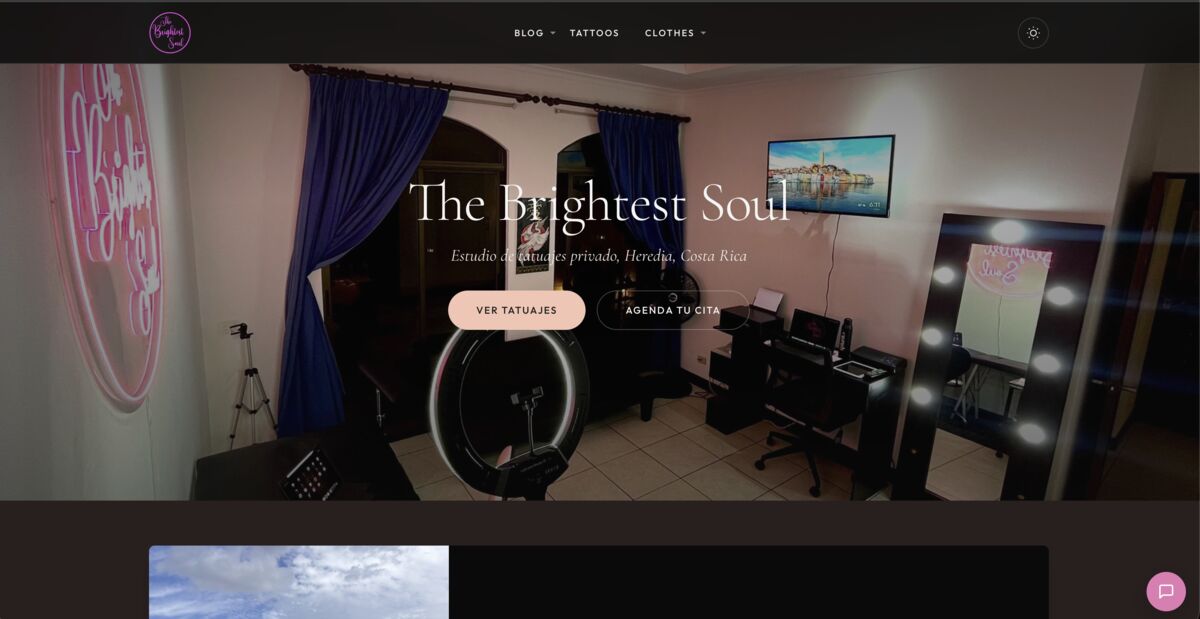
The Brightest Soul
Tattoo studio using PressBot for visitor support, appointment inquiries, and artist portfolio browsing.
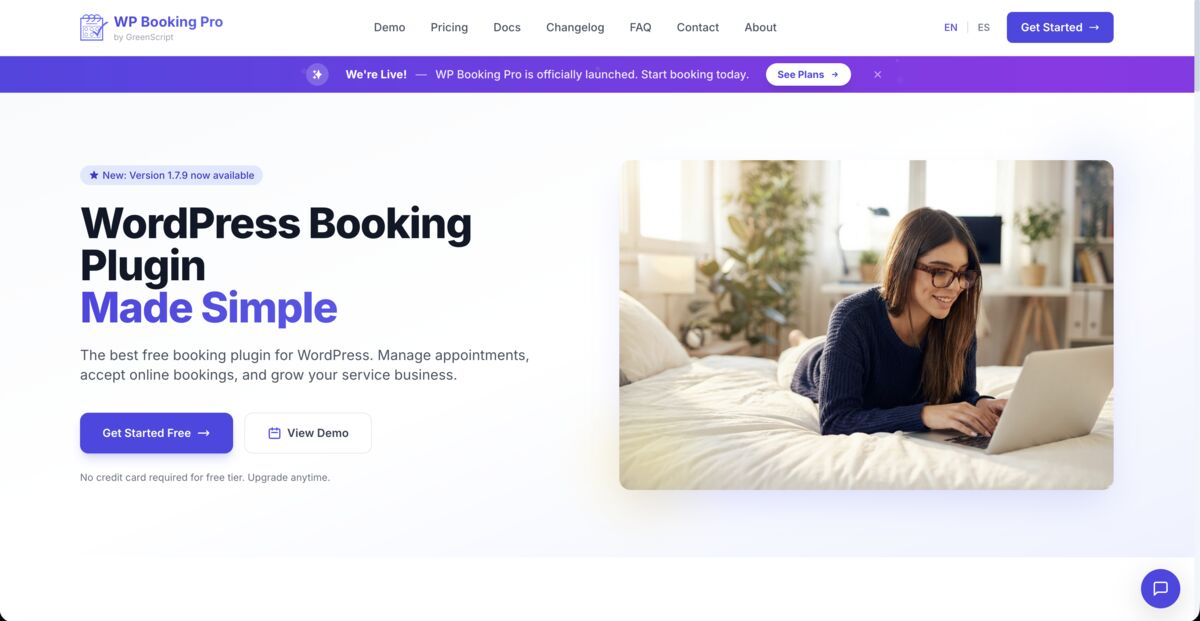
WP Booking Pro
WordPress booking plugin site using PressBot for product demos, feature explanations, and customer support.

Actively Developed. Updated Weekly.
PressBot gets better every week with new features, improvements, and fixes. Pro users receive automatic updates through Freemius.
View ChangelogChoose Your Plan
Telegram bot included in all Pro plans. No per-message fees — use your own API keys.
Visitor chatbot only
- Visitor chatbot
- Claude + Gemini
- Knowledge base
- Telegram bot
Telegram bot + full admin agent
- Telegram bot
- Admin Agent (77 tools)
- Security alerts (7 types)
- Photo uploads
- AI image generation
- Priority support
14-day money-back guarantee
Same features, more sites
- All Pro features
- Up to 5 site activations
- Priority support
14-day money-back guarantee
Scale to all your clients
- All Pro features
- Up to 50 site activations
- Priority support
14-day money-back guarantee
14-Day Money-Back Guarantee
Risk-free. Try PressBot Pro for 14 days. Not satisfied? Full refund, no questions asked.
All plans use your own API keys from Anthropic or Google. You pay the AI providers directly for usage — PressBot never touches your API spend.
Common Questions
Open Telegram, message @BotFather, and create a new bot. Copy the token, paste it in PressBot Settings → Telegram, add your Telegram user ID, and click "Register Webhook". Takes about 5 minutes.
Yes. Your bot token is AES-256 encrypted. Only whitelisted Telegram user IDs can interact with your bot. Webhooks are verified with a secret token header. Rate limiting prevents abuse (10 messages/minute).
Yes. Send any photo to your bot — it goes straight to your WordPress media library. Add a caption like "set as featured image for latest post" and the agent handles the rest.
7 types: brute force detection (real-time, after 5+ failed attempts), new user registration (real-time), plus a daily digest covering plugin updates, failed logins, security audit changes, new users, and PHP errors.
Yes — all 77 tools work identically via Telegram. Content, plugins, WooCommerce, settings, security, everything. The only difference: content publishes immediately since there's no preview UI.
Each message is processed independently — there's no multi-turn conversation memory in Telegram. This is by design for simplicity and security. The agent still has full context about your site for every message.
Ready to Manage WordPress from Your Phone?
77 admin tools, photo uploads, and security alerts — all from Telegram.