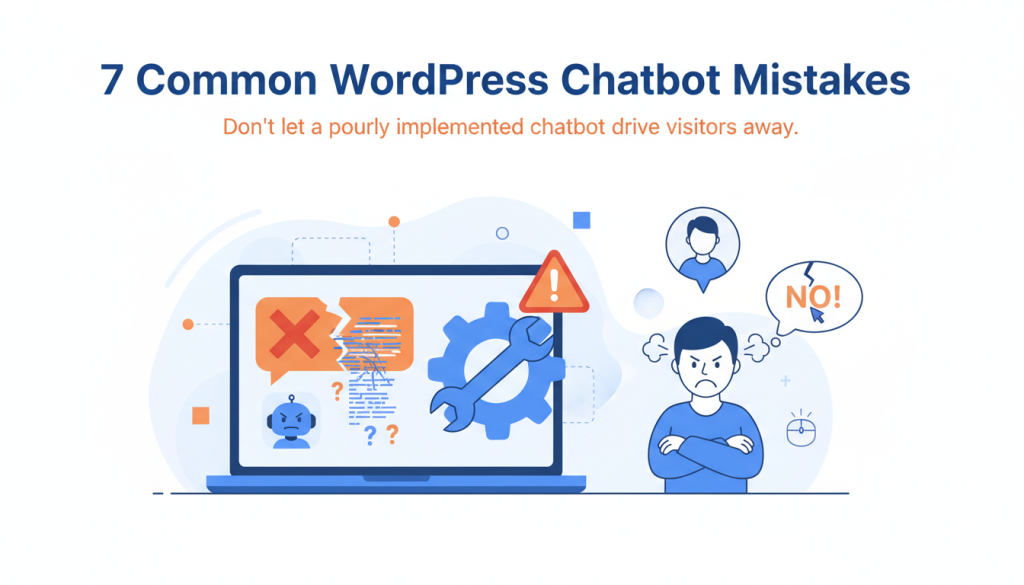
A chatbot is a powerful tool, but a poorly planned one actively harms your business. It creates frustrating experiences that drive visitors away instead of engaging them. These common implementation mistakes are entirely preventable.
1. Launching With an Untrained Knowledge Base
The biggest mistake is deploying a chatbot with an empty or poorly structured knowledge base. Your chatbot is only as helpful as the information you provide. Without proper training data, visitors receive generic responses or “I don’t understand” messages.
A complete knowledge base includes your most frequently asked questions, product details, pricing information, and company policies. Upload this content in organized markdown files that cover the topics your visitors actually ask about. Test the chatbot extensively with real questions before making it live.
2. Choosing the Wrong AI Provider
Not all AI models perform equally. Selecting a provider based on cost alone, without considering response quality, leads to chatbots that give irrelevant answers or fail to understand user intent.
For WordPress chatbots, Anthropic Claude delivers superior conversational quality and tool-calling capabilities, while Google Gemini offers a generous free tier for budget-conscious implementations. Match your provider choice to your specific requirements, not just the price tag.
3. Overwhelming Users With Unnecessary Features
Feature-heavy chatbots confuse visitors who just want quick answers. Adding voice input, complex menus, or advanced workflows to a simple support chatbot creates friction. Users expect focused, text-based conversations.
Start with core functionality: answering questions from your knowledge base and providing 24/7 visitor engagement. Additional features like web search integration should enhance the experience, not complicate it. PressBot’s approach keeps the public chatbot simple while offering advanced capabilities through the separate admin agent.
4. Ignoring Conversation Flow
Many chatbots jump between topics without maintaining context or fail to guide users toward helpful outcomes. Poor conversation design leaves visitors frustrated and more likely to abandon your site.
Design conversations that acknowledge previous messages and build logically toward solutions. When a user asks about pricing, the chatbot should be ready to follow up with related information about features or implementation. A natural conversation flow keeps users engaged and moves them closer to conversion.
5. Neglecting the Mobile Experience
Desktop-focused chatbot implementations often break on mobile devices, where most web traffic originates. Poorly positioned widgets, oversized chat windows, or touch-unfriendly interfaces create major usability problems.
Test your chatbot thoroughly on mobile devices before launch. Ensure the widget doesn’t obstruct important content, loads quickly, and provides easy-to-tap interaction elements. Mobile optimization directly impacts user adoption.
6. Setting Unrealistic User Expectations
Promising that your chatbot can handle any request sets users up for disappointment. Chatbots excel at specific tasks like answering common questions and providing product information. They are not replacement customer service representatives.
State your chatbot’s capabilities clearly in the welcome message and provide an obvious escalation path to human support. This honesty builds trust and reduces frustration when the chatbot reaches its limits.
7. Failing to Monitor and Improve
Deploying a chatbot and forgetting about it guarantees declining performance. Without regular monitoring, you miss opportunities to improve responses and identify knowledge gaps.
Review conversation logs regularly to find common questions the chatbot struggles with. Update your knowledge base based on these real user interactions. Most WordPress chatbot plugins, including PressBot, provide conversation logging and analytics to guide these improvements.
A Scenario: How a Simple Mistake Loses a Customer
A visitor asks your chatbot, “Do you offer enterprise pricing?” If your knowledge base only contains standard pricing, the chatbot gives an unhelpful response. You lose a potential high-value customer. This happens when businesses assume their chatbot will know information they never provided.
Successful chatbot implementation is an ongoing process of refining the knowledge base, monitoring conversations, and listening to user feedback. The goal is to create genuinely helpful interactions that support your business objectives.
Ready to implement a chatbot correctly? Start by auditing your most common customer questions and organizing that information into a comprehensive knowledge base. The success of your WordPress chatbot depends on the foundation you build before launch.